
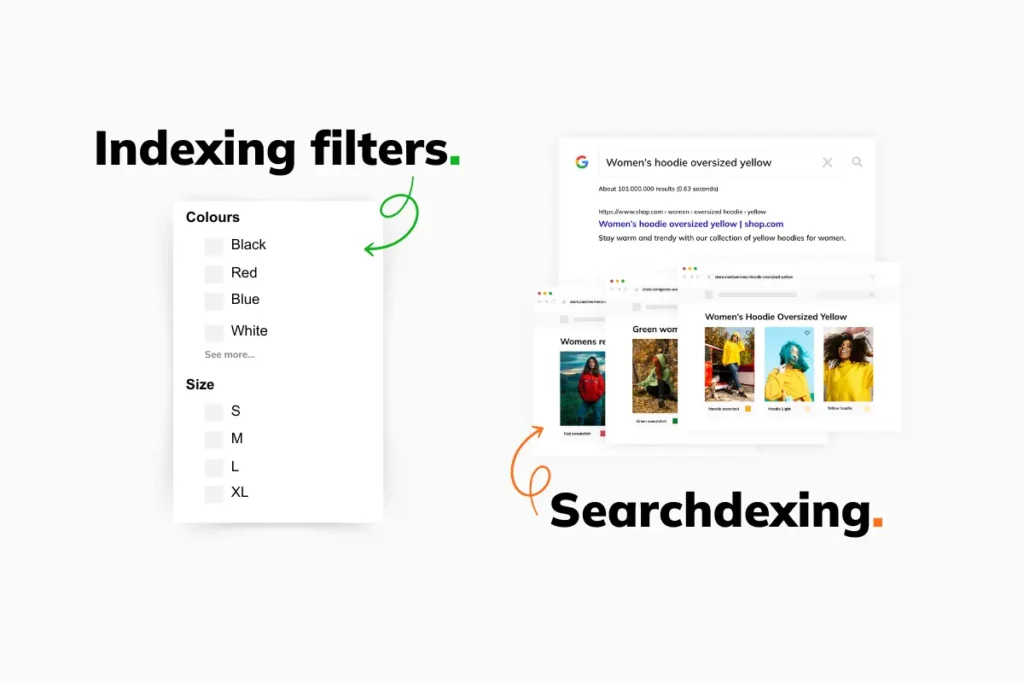
Managing a large-scale e-commerce store requires a delicate balance between search engine visibility and server efficiency. For Magento merchants, layered navigation is a double-edged sword.
While it provides an essential user experience, it can create millions of unique URLs that overwhelm search engines and drain server resources. Understanding how to control filter indexing without hurting performance in Magento is critical for maintaining a lean, fast, and SEO-friendly website.
Why Filter Indexing Becomes a Problem in Magento
Layered navigation is designed to help users find products, but from a technical perspective, it is a URL generation machine. Every time a user selects a color, size, or price range, Magento generates a new URL.
If a category has ten attributes (e.g., color, size, brand, material) and each attribute has five options, the number of possible combinations is exponential. When multiple filters are selected simultaneously, Magento creates unique query parameters or URL paths for every permutation. For a store with 1,000 products, this can easily result in 50,000+ crawlable URLs for a single category.
SEO risks: index bloat, duplicate content, crawl budget waste
- Index Bloat: Search engines may index thousands of “thin” pages that offer no unique value, diluting the authority of your main category pages.
- Duplicate Content: Filtered pages often show nearly identical content to the parent category, leading to internal competition in search rankings.
- Crawl Budget Waste: Googlebot has a limited amount of time to spend on your site. If it spends that time crawling filter combinations like “Blue XXL Cotton Shirts under $20,” it may never reach your high-margin new arrivals or core product pages.
Read more: How Category Architecture Affects Product Discovery in Magento
Performance risks: indexer overload, slow category pages, database strain
Every time a filtered URL is requested, Magento must calculate the product collection for that specific set of attributes. This puts a heavy load on the MySQL database. Furthermore, if the system is not configured correctly, an influx of bots crawling these filters can cause the flat catalog or EAV (Entity-Attribute-Value) tables to struggle, leading to high Time to First Byte (TTFB) and potential site crashes during peak crawl periods.
Simply blocking all filters in robots.txt is a common knee-jerk reaction. However, this can be harmful. Some filtered pages (like “Nike Running Shoes”) have significant search volume. Blocking them prevents you from capturing that “long-tail” traffic. Additionally, blocking doesn’t remove pages already in the index; it only stops bots from seeing the content, which can lead to “indexed but blocked” warnings in Google Search Console.
How Magento Handles Filters and Indexing (Technical Overview)
To control filter indexing effectively, one must understand the underlying mechanics of Magento’s architecture.
How layered navigation URLs are generated
Standard Magento uses query parameters (e.g., ?color=45) to handle filters. Some SEO extensions transform these into static-looking paths (e.g., /color/blue.html). While prettier, the underlying logic remains the same: the system must filter the product collection based on attribute IDs stored in the database.
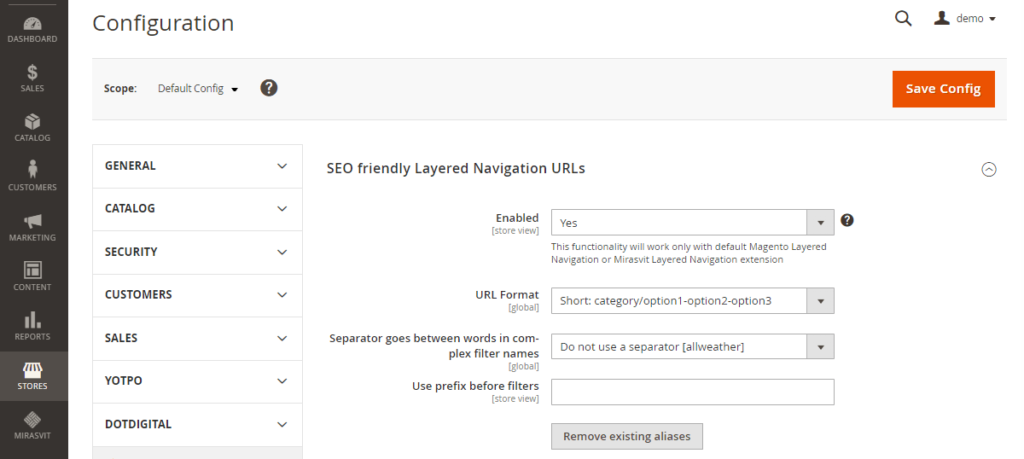
Difference between filterable attributes vs non-filterable attributes
In the Magento Admin, attributes are set as “Filterable (with results)” or “Filterable (no results).”
- Filterable: Included in the layered navigation sidebar and generates new URL states.
- Non-filterable: Only appears on the product page or in search results, reducing the URL footprint.
Read more: Optimizing Magento Navigation for Both Human and Search Engine Crawlers
How Magento indexers work in relation to filters
The Product EAV and Category Product indexers are the most relevant here. When you change an attribute or a product association, these indexers update the lookup tables that layered navigation uses to display counts (e.g., “Blue (12)”).
If your filter logic is too complex or poorly optimized, frequent reindexing can lock database tables and slow down the front-end for users.
Where performance bottlenecks usually appear
The primary bottleneck is usually the Layered Navigation Block. Calculating the count of products for every available filter option requires complex SQL queries. If a bot triggers hundreds of these queries per minute across different filter combinations, the database CPU usage will spike.
Decide Which Filter Pages Should Be Indexed
Not all filters are created equal. A strategic approach involves identifying which pages deserve to be in Google’s index.
Identifying high-value filters
Filters that correspond to how people actually search should be indexed. These typically include:
- Brands (e.g., /shoes/adidas.html)
- Primary Categories/Types (e.g., /shirts/long-sleeve.html)
- Materials (if applicable to the niche, like “leather sofas”)
Filters that should never be indexed
These filters rarely have search volume and create massive duplicate content:
- Price Ranges: These change constantly and are specific to your store’s pricing.
- Sort Orders: “Price low to high” adds zero SEO value.
- Multi-select combinations: “Red + Blue + Green” size Small shirts.
- Stock status: “In Stock” filters.
Creating a simple index vs no-index decision framework
Use the following logic to decide:
- Does it have keyword volume? If yes, consider indexing.
- Does it provide a unique set of products? If it’s just 1-2 products, don’t index.
- Is it a single filter? Single filters (Brand) are safer than multi-filters (Brand + Color + Size).
Methods to Control Filter Indexing in Magento (Without Performance Loss)
Once you have a strategy, you need to implement the technical controls.
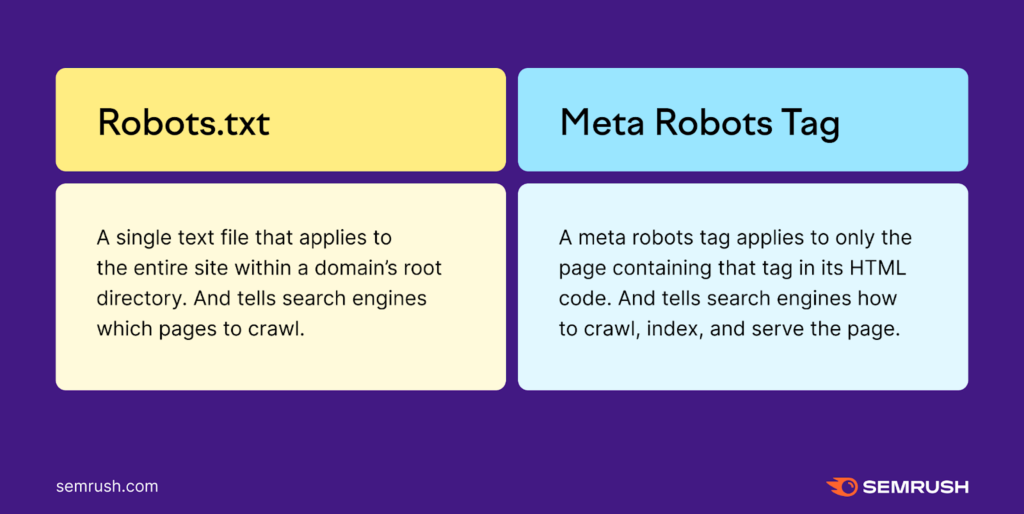
Using Robots Meta (Noindex, Follow)
The noindex, follow tag is the most effective way to keep your index clean while allowing link equity to flow.
- How it works: You tell Google, “Don’t show this page in results, but feel free to follow the links on it to find products.”
- Benefit: This prevents index bloat without the risks of robots.txt blocking.
Canonical Tags for Filter URLs
Canonical tags tell search engines which version of a page is the “master” copy.
- Standard approach: Most filtered URLs should point their canonical tag back to the main category page.
- SEO approach: If a filter (like “Brand”) is valuable, it should have a self-referencing canonical (it points to itself).
Robots.txt: What to Block and What Not to Block
Robots.txt should be used as a scalpel, not a sledgehammer.
- Safe to block: *?dir=asc, *?limit=all, *?price=*. These are purely functional parameters that never need to be crawled.
- The risk: If you block a URL in robots.txt, Google cannot see the noindex tag on that page. If the page was already indexed, it will stay indexed.
Magento Configuration Settings That Affect Filter Indexing
Magento provides several native settings to manage how filters behave.
Attribute setup choices
Go to Stores > Attributes > Product. Select an attribute and navigate to Storefront Properties.
- Use in Layered Navigation: Set to “No” for attributes that don’t need to be filters.
- Use in Search Results Layered Navigation: Controls if the filter appears on search pages.
Search engine robots configuration
Navigate to Content > Design > Configuration. Edit your theme and look for Search Engine Robots.
- Here you can set the default robots header (e.g., INDEX, FOLLOW).
- Use Custom Instruction fields to add specific meta tags for filtered pages if your theme supports it.
Common misconfigurations to avoid
- Enabling “Flat Catalog”: In modern Magento (2.4+), flat catalogs are deprecated and can actually hurt performance. Stick to the improved EAV indexing.
- Price Navigation Steps: Setting these too small (e.g., $1 increments) creates thousands of unnecessary filter options.
Performance-Safe Approaches to Filter UX
To protect your server, you must optimize how users (and bots) interact with filters.
AJAX-based filters vs crawlable URLs
Using AJAX to update the product list without reloading the whole page is excellent for performance. However, you must ensure that the “View All” or “Filter” links are still visible to bots in a clean way if you want them indexed, or hidden via rel=”nofollow” if you don’t.
Caching considerations for layered navigation
Ensure that your Varnish or Redis cache is configured to handle query parameters. If every unique filter combination misses the cache and hits the database, your site will slow down significantly during a crawl.
Managing Filter Indexing at Scale (Large Catalogs)
For stores with 100,000+ SKUs, manual management is impossible.
Handling multi-select filters safely
Multi-select filters (selecting “Red” and “Blue” at once) should almost always be set to noindex. The number of permutations for multi-select is astronomical and rarely matches how users search.
Controlling crawl budget for large Magento stores
Use Google Search Console’s URL Parameters tool (if available) or specific robots.txt Disallow rules to prevent bots from deep-crawling combinations that are more than two levels deep (e.g., Category > Color > Size).
Using Magento SEO Extensions (When Core Is Not Enough)
Native Magento is often limited in how it handles specific meta tags for filters. While the default platform provides a foundation for catalog management, many merchants find that a dedicated SEO magento extension is necessary to implement the granular controls required for large-scale faceted navigation.
What SEO extensions actually help with
Leading extensions (like Amasty, Mageworx, or Mirasvit) allow you to:
- Generate unique Meta Titles and Descriptions for filtered pages.
- Automatically add noindex to URLs with more than $X$ filters selected.
- Create “SEO-friendly URLs” for specific high-value attribute selections.
Performance trade-offs
Be wary of extensions that add heavy “observer” logic to every page load. Each “rule” the extension has to check adds milliseconds to the TTFB.
How to Test and Validate Your Filter Indexing Setup
Checking indexed filter URLs in Google Search Console
Use the Index Coverage report. Look for “Valid” pages that contain parameters like ? or cat=. If you see thousands of these and they aren’t your target SEO pages, you have index bloat.
Monitoring crawl stats
Check the Crawl Stats report in GSC. If you see a high percentage of “Crawl Requests” going to filtered URLs that you intended to hide, your robots.txt or nofollow strategy needs adjustment.
Best-Practice Checklist: Filter Indexing Without Performance Loss
| Action | Strategy | Target Attributes |
| Index | Self-referencing canonical + Index/Follow | Brands, Major Materials |
| Noindex | Robots Meta Noindex + Follow | Color, Size, Style |
| Block | Robots.txt Disallow | Price, Sort Order, Pagination |
| Monitor | Google Search Console | All filtered URLs |
Common Magento Filter Indexing Mistakes
- Blocking filters too aggressively: Preventing bots from crawling your brand pages can kill your rankings for “Brand + Category” searches.
- Indexing everything by default: This is the “out of the box” Magento behavior and leads to massive duplicate content issues.
- Ignoring performance signals: If your server CPU spikes every time Googlebot visits, your filter settings are likely the culprit.
Conclusion
To master how to control filter indexing without hurting performance in Magento, adopt an SEO-first but performance-aware mindset.
Start by setting all layered navigation to noindex, follow by default. Then, manually “open” only the filters that represent real search demand, such as brands or primary product types. This conservative approach ensures that you don’t overwhelm your server or Google’s crawler, while still capturing the most valuable traffic.
Always validate your changes in Google Search Console and keep your Magento indexers optimized to handle the inevitable load of a growing catalog.