

Migrating an e-commerce store to Magento 2 is a significant strategic move that offers enhanced performance, a more robust checkout experience, and superior administrative tools. However, from an SEO perspective, a migration is a high-stakes operation. Without a rigorous plan, a transition between platforms or even an upgrade from Magento 1 to Magento 2—can lead to catastrophic losses in organic traffic, keyword rankings, and revenue.
The risk to SEO during a Magento 2 migration stems from the fundamental changes in how the platform handles URLs, database structures, and site architecture. It is critical to understand the distinction between a platform migration (the technical movement of data) and an SEO migration (the preservation of search engine trust). Common causes of traffic loss include broken redirect chains, lost metadata, and accidental indexing of staging environments. This guide provides a comprehensive roadmap, covering every SEO considerations when migrating to Magento 2 from the pre-migration planning phase to post-launch validation.
How Magento 2 migration impacts SEO
Platform changes that affect URLs, rendering, and performance
Magento 2 introduced a completely revamped frontend architecture and a different way of handling URL rewrites compared to its predecessor. These changes often result in new URL patterns for categories and products, especially if the legacy site used custom extensions for URL beautification. Furthermore, Magento 2’s reliance on modern JavaScript and a different rendering cycle means that search engine crawlers will interact with the site differently.
Differences between Magento 1 and Magento 2 from an SEO perspective
While Magento 1 was a powerful tool, Magento 2 was built with modern SEO standards in mind. It includes native support for Rich Snippets, improved canonical tag management, and better handling of layered navigation out of the box. However, the underlying database schema for URL rewrites (url_rewrite table) is managed differently, making the “direct” transfer of custom URL paths complex. Consequently, understanding the core SEO considerations when migrating to Magento 2 is essential to navigate these structural differences.
Why migrations often trigger indexing and ranking volatility
Any time a site undergoes a major structural change, Google must re-crawl and re-evaluate every page. This naturally triggers a period of “ranking turbulence.” If the migration is handled correctly, this volatility is temporary. If handled poorly—for example, by failing to map 301 redirects—the “link equity” accumulated over years can be permanently lost.
Pre-migration SEO considerations for Magento 2
SEO benchmarking and data collection
Before a single line of code is moved, you must establish a baseline. You cannot measure the success of a migration if you do not know where you started.
- Ranking Data: Use tools like Semrush or Ahrefs to export a list of all keywords for which the site currently ranks. Document your position, the ranking URL, and search volume. This helps identify “keyword cannibalization” risks post-launch.
- Traffic and Conversions: Use Google Analytics 4 to identify your “money pages”—those that drive 80% of your revenue and traffic. These pages require the highest priority during redirect testing.
- Backlink Profile: Identify every external domain linking to your site. High-authority backlinks pointing to an old URL that becomes a 404 error will result in a permanent loss of “Link Juice.” These high-equity URLs must be protected with perfect redirects.
URL structure and site architecture planning
Ideally, you should preserve your existing URL paths to maintain search engine “memory.” If a product lived at /blue-widget.html on the old site, it should live there on Magento 2. However, if the migration involves rebranding or a catalog overhaul, changes may be unavoidable. In these cases, you must map the old hierarchy to the new one with 100% accuracy. Avoid adding unnecessary subfolders (e.g., changing /product-name to /category/product-name) unless it serves a specific SEO hierarchy goal.
Content and metadata audit
A migration is the perfect time to “prune” your site.
- Content Pruning: Identify thin content, duplicate product descriptions, or outdated blog posts that should be removed or consolidated.
- Metadata Export: Ensure that all custom meta titles, descriptions, and H1 tags are exported into a master spreadsheet. You must verify that the Magento 2 migration tool or your developers are actually importing these custom fields rather than letting the new platform auto-generate them from product names, which are often less optimized.
Technical SEO preparation
Review your existing robots.txt file and any noindex directives to ensure they aren’t accidentally carried over to the new site if they were meant to be temporary. You must ensure that your XML sitemap on the old site is fully crawled one last time before the switch so search engines have a fresh “map” to compare against the new site, facilitating a faster transition of indexed pages. Reviewing a comprehensive set of pre & post-migration SEO tips for Magento websites during this stage will help you anticipate challenges and maintain a stable search presence throughout the transition.
SEO considerations during Magento 2 migration
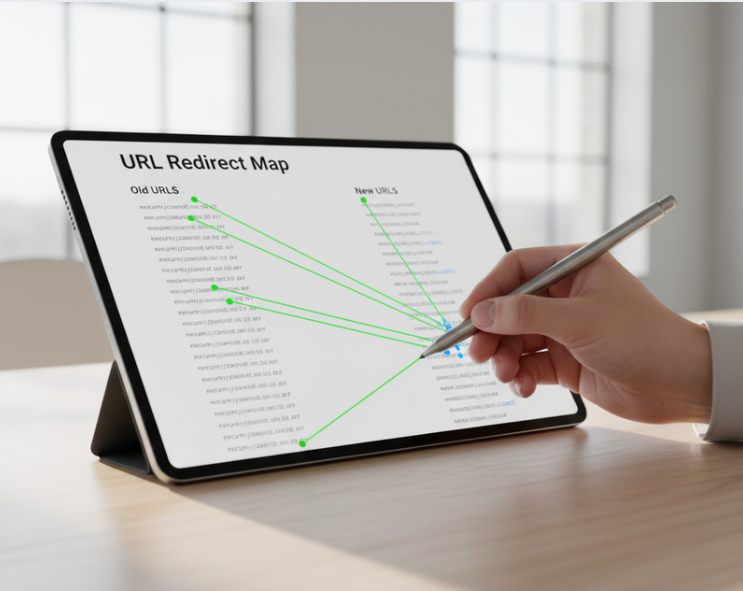
URL mapping and 301 redirect strategy
The redirect map is the most critical document in an SEO migration.
- One-to-One Mapping: Every active URL on the old site must point to its equivalent on Magento 2. Avoid redirecting everything to the homepage, as Google treats this as a “Soft 404,” which kills ranking value.
- Avoid Redirect Chains: Ensure that Old URL A goes directly to New URL B. Multi-hop redirects (A -> B -> C) slow down crawlers and increase the risk of “losing” link equity.
- Handle 404s: For discontinued products, decide whether to redirect them to the most relevant parent category or let them return a 404 (or 410) if the product will never return and has no backlink value.
Metadata and structured data migration
Magento 2 supports Schema.org markup natively for products (name, image, price, availability). During the migration, ensure that your existing structured data, especially for reviews and aggregate ratings, is preserved. If you were using custom JSON-LD or microdata on the old site for specific rich snippets, verify that it is correctly integrated into the new Magento 2 templates to avoid losing “stars” in Search Engine Results Pages (SERPs).
On-site SEO configuration in Magento 2
Magento 2 offers several SEO-specific settings in the Admin Panel. To streamline this process and ensure advanced features like automated meta-tagging and dynamic XML sitemaps are handled correctly, many merchants utilize a Magento 2 SEO extension to bridge the gap between native features and professional search requirements.
- Search Engine Optimizations: Navigate to Stores > Configuration > Catalog > Catalog > Search Engine Optimization and enable “Use Web Server Rewrites.”
- Canonical Link Meta Tag: Enable this for both categories and products. This is vital to prevent duplicate content issues caused by session IDs, tracking parameters, or products assigned to multiple categories.
- Layered Navigation: Configure your attribute filters (price, color, size) with noindex, follow tags to ensure that search engines don’t waste “crawl budget” indexing millions of useless combinations.
Preventing indexing and crawl issues
One of the most common disasters is the accidental indexing of the staging site (e.g., dev.yourstore.com). This creates massive duplicate content issues. Ensure the staging environment is password-protected (HTACCESS) or strictly blocked via robots.txt. Conversely, verify that the production environment is “unblocked” (changing noindex to index) the moment you go live.
Post-migration SEO checks and optimization
Crawl and indexation validation
Immediately after launch, the transition from “development” to “live” status must be verified through a full-site audit.
- Comprehensive Crawling: Use a crawler like Screaming Frog to audit the new Magento 2 production site. Filter for 404 errors to catch broken internal links that may have been missed during the staging phase.
- Redirect Validation: Upload your list of high-value legacy URLs into the crawler’s “List Mode” to verify they return a 301 status code and point to the correct destination.
- Search Console Monitoring: Check the “Indexing” report in Google Search Console daily for the first two weeks. Monitor the “Page with redirect” and “Indexed” counts to ensure Google is picking up the new URLs and successfully retiring the old ones. Use the “URL Inspection Tool” to force-request a crawl of your primary “money pages.”
Performance and core web vitals
Magento 2 is technically capable of being much faster than Magento 1 or other legacy platforms, but its complexity requires professional-grade optimization.
- Server-Side Caching: Ensure Varnish (Full Page Cache) and Redis (Session/Backend Cache) are not just installed, but properly configured and hitting.
- Asset Optimization: Utilize Magento 2’s native features for CSS/JS minification and merging. Implement modern image formats like WebP to reduce payload sizes.
- UX Metrics: Monitor your Core Web Vitals (LCP, INP, and CLS) via the Chrome User Experience Report. Since Google uses these as ranking signals, a slow-loading Magento 2 site will negate any other SEO gains you’ve made during the migration.
Ranking and traffic monitoring
Expect a 10-15% fluctuation in traffic during the first 2-4 weeks. This “migration jitter” is a normal part of search engine re-evaluation.
- Money Page Tracking: If you see a sustained drop in traffic or rankings for your top-revenue products, investigate immediately.
- Attribution Analysis: Analyzing the SEO considerations when migrating to Magento 2 against your actual performance will help pinpoint if the drop is due to technical errors (like a rogue noindex tag) or the expected delay of re-indexing a large catalog. Compare pre- and post-migration CTR in Search Console to ensure your new meta tags are performing as well as the old ones.
Common Magento 2 migration SEO mistakes
Many e-commerce brands suffer significant traffic drops because they repeatedly make avoidable SEO migration mistakes during the platform switch, often focusing on data movement while neglecting search visibility.
- Missing Redirects: This is the #1 cause of SEO failure. Even missing a few dozen high-authority URLs can tank a site’s overall “TrustRank,” as search engines lose the “map” of your site’s historical authority.
- Duplicate Content via Filters: Magento 2’s layered navigation is powerful but dangerous. Failing to manage filters (color, size, price) via the robots.txt or an Magento 2 SEO extension can lead to Google indexing thousands of low-value, near-duplicate pages.
- Lost Meta Tags: Many developers focus on migrating product data (SKUs, Prices) but forget the SEO table. Relying on Magento 2’s “auto-generation” for titles and descriptions often results in less optimized metadata than the hand-crafted tags from the old site.
- Ignoring Mobile UX: While Magento 2 is responsive by default, specific theme customizations or third-party checkouts can break mobile usability. In a mobile-first indexing world, a broken mobile layout will lead to a rapid decline in desktop rankings as well.
Best practices to protect and improve SEO during migration
To ensure a successful transition, adopt an “SEO-First” workflow. This means the SEO team must be involved at the wireframing, development, and QA stages.
- Strategic Overhauls: Use the migration as an opportunity to fix long-standing issues. If your old site had a messy, non-descriptive URL structure, fix it now—just ensure the 301 redirects are mapped with 100% accuracy.
- Impact-Based Prioritization: Prioritize fixes based on SEO impact. A broken redirect to a top-selling product or a broken canonical tag on a high-traffic category is infinitely more important than a missing alt tag on a 3-year-old blog post.
- Cross-Departmental Collaboration: Continuous communication between developers and SEO specialists is essential. This ensures that technical “fixes”—such as JS bundling or database cleanup—don’t inadvertently block crawlers or remove essential structured data that search engines rely on for rich snippets.
SEO migration checklist for Magento 2
Pre-migration SEO checklist
- Export current URL list and metadata.
- Identify top 100 traffic-driving pages.
- Audit and clean up thin content.
- Baseline performance and CWV scores.
Migration-phase SEO checklist
- Complete the 301 redirect map.
- Configure canonical tags in Magento 2 admin.
- Implement Schema.org markup.
- Verify robots.txt for the production environment.
Post-migration SEO checklist
- Crawl the site for 404 errors and redirect loops.
- Submit the new XML sitemap to GSC.
- Monitor Google Search Console for crawl errors.
- Audit mobile usability and page speed.
Conclusion
A Magento 2 migration is a complex undertaking, but with meticulous SEO planning, it can be a catalyst for significant organic growth. The key to a successful transition lies in the details: preserving URL equity through redirects, maintaining metadata integrity, and ensuring the new platform is technically optimized for search engines.
By following this guide on SEO considerations when migrating to Magento 2, Magento store owners can minimize the risks of traffic loss and capitalize on the advanced SEO features that Magento 2 provides. Remember that SEO does not end at launch; ongoing monitoring and optimization are required to ensure the store reaches its full potential in the competitive e-commerce landscape.