

In the competitive landscape of e-commerce, the relationship between User Experience (UX) and Search Engine Optimization (SEO) is no longer a matter of debate—it is a technical and commercial necessity. For Magento (Adobe Commerce) store owners, these two disciplines are two sides of the same coin. A well-optimized Magento store should make it effortless for users to browse, interact, and convert, while simultaneously providing a clear roadmap for search engines to crawl, index, and rank the site.
This guide explores how to harmonize Magento UX and SEO to create a high-performing digital storefront that satisfies both human visitors and search engine algorithms.
How UX Directly Impacts Magento SEO
In modern SEO, Google and other search engines have moved beyond simple keyword matching. They now prioritize “User Intent” and “User Experience.” When you improve the UX of your Magento store, you are essentially sending positive behavioral signals to search engines that your site is a high-quality destination.
Lowering Bounce Rates through Relevancy
A high bounce rate—where a user leaves after viewing only one page—often indicates a disconnect between what the user expected and what they found. In Magento, this often happens due to slow loading times or a cluttered layout. By improving the UX, you ensure users find exactly what they expect, signalling to Google that your page is a relevant result for their search query.
Increasing Dwell Time and Content Relevance
The longer a user stays on your site, the more “value” search engines assume your site provides. A logical Magento UI encourages users to explore related products and blog posts. This “dwell time” is a strong indicator of content relevance, which can indirectly boost your rankings over time.
Higher Conversion Rates and Trust
While conversion rate is not a direct ranking factor, it reflects the clarity and trust of your site. Google’s algorithms are increasingly sophisticated at identifying “quality” signals. A site with a streamlined checkout and clear trust signals (like SSL certificates and reviews) is less likely to be flagged as low-quality or spammy.
Mobile-First Indexing and Usability
Since Google moved to mobile-first indexing, the mobile UX of your Magento store is the primary version used for ranking. If your mobile site is difficult to navigate or has intrusive elements, your desktop rankings will suffer regardless of how well-optimized the desktop version is.
=> When you improve the UX of your Magento store, you are essentially sending positive behavioral signals to search engines that your site is a high-quality destination. Discover the key UX signals that influence organic performance in Magento.
Core UX Elements that Affect Magento SEO
To achieve a synergy between UX and SEO, you must focus on the technical and visual elements that bridge the gap between human interaction and crawler efficiency.
Site Speed and Performance Optimization
Magento is a powerful, feature-rich platform, but its complexity often makes it “heavy.” Performance is the foundation of UX; if a page takes more than three seconds to load, conversion rates plummet.
- Full Page Cache and Varnish: Implementing Varnish Cache is standard for Magento 2. It stores a pre-rendered version of your pages in memory, allowing for near-instantaneous load times for returning visitors.
- Step 1: In the Admin Panel, go to Stores > Settings > Configuration > Advanced > System > Full Page Cache.
- Step 2: Change Caching Application to Varnish Cache.
- Step 3: Expand the Varnish Configuration section. Set your backend host (usually 127.0.0.1) and backend port (usually 8080).
- Step 4: Click Export VCL for Varnish. Your developer must then replace the server’s default VCL file with this exported version to ensure Magento can “purge” the cache when products are updated.
- Image Optimization and WebP: High-resolution product images are essential for sales but detrimental to speed. Use tools to convert images to WebP format, which offers superior compression without losing quality.
- Configuration: Go to Stores > Configuration > Catalog > Product Video (or your specific WebP extension settings).
- Quality Setting: Set WebP quality to 75–80. This provides the best balance between visual clarity and file size reduction.
- Lazy Loading: Ensure “Lazy Load Images” is enabled. This prevents the browser from loading images that aren’t currently in the user’s viewport, improving Initial Page Load.
- JS and CSS Optimization: Magento’s default architecture often loads dozens of JavaScript and CSS files. Use built-in minification and bundling features—or advanced tools like Hyva Themes—to reduce the number of HTTP requests.
- Minification: Go to Stores > Configuration > Advanced > Developer. Under JavaScript Settings and CSS Settings, set Minify Files to Yes.
- Bundling Caution: While Magento has a built-in “Enable JavaScript Bundling” option, it often creates massive files that hurt performance on HTTP/2 servers.
- Core Web Pitals (CWP): Pay close attention to Largest Contentful Paint (LCP), Interaction to Next Paint (INP), and Cumulative Layout Shift (CLS). These are specific metrics Google uses to quantify the user experience of a page’s loading performance.

Mobile-First UX Design
Responsive design is the bare minimum. A truly mobile-first Magento store focuses on the “thumb-friendly” zone.
- Navigation and Filters: On mobile, large “mega menus” are difficult to use. Implement an off-canvas “hamburger” menu and ensure that layered navigation (filters) is easily accessible via a “Filter” button that remains sticky or easy to find.
- Eliminate Intrusive Popups: Avoid full-screen interstitials that block content. Google penalizes sites that make content inaccessible to users on mobile devices.
- Touch Targets: Ensure that all buttons and links are at least 44×44 pixels to prevent “fat-finger” errors, which frustrate users and increase bounce rates.
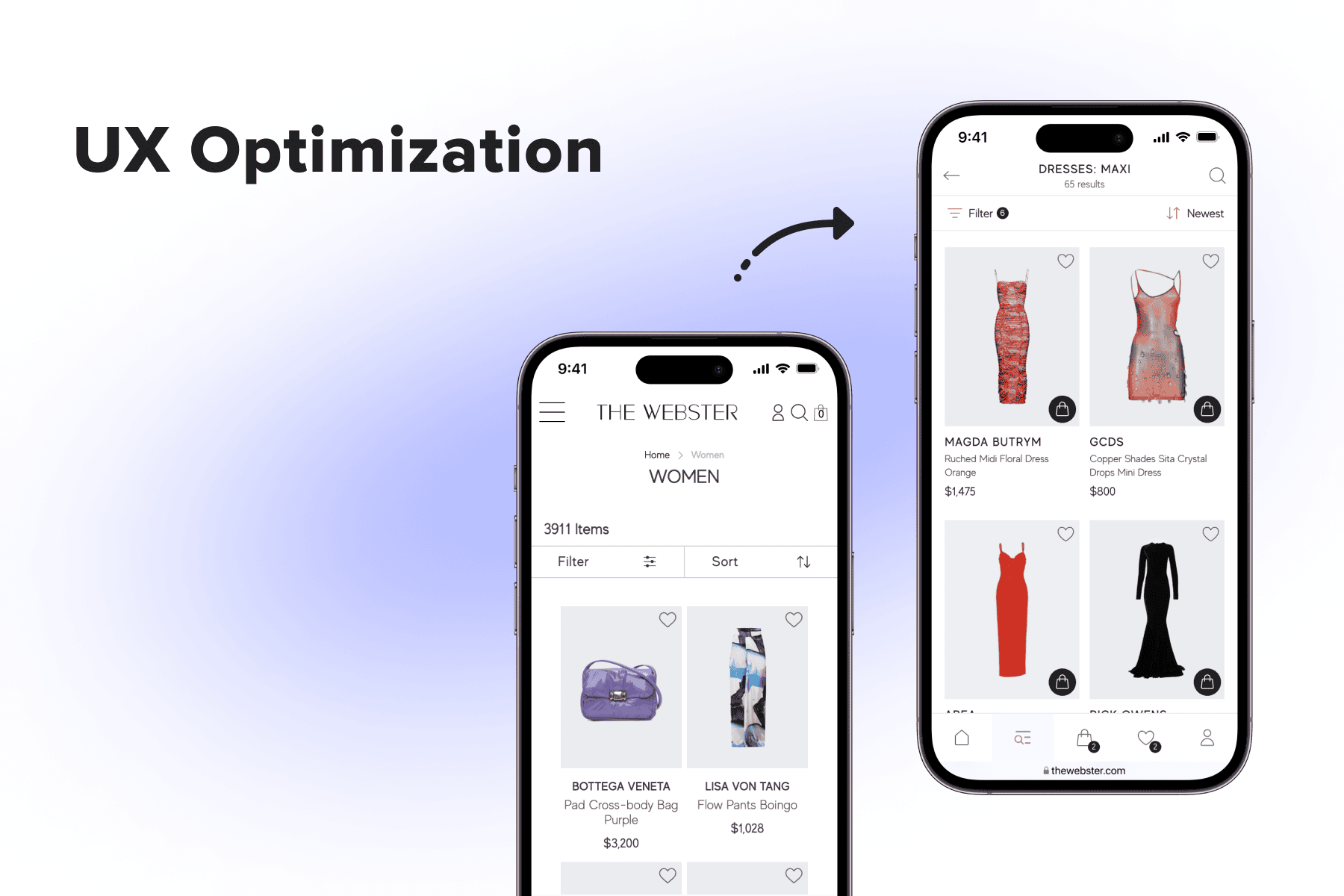
=> Learn how to implement Magento mobile-first design here to ensure your store performs seamlessly across all devices.
Navigation and Site Structure
A logical site hierarchy is the “skeleton” of your SEO. It helps users find products and helps crawlers understand the relationship between different pages.
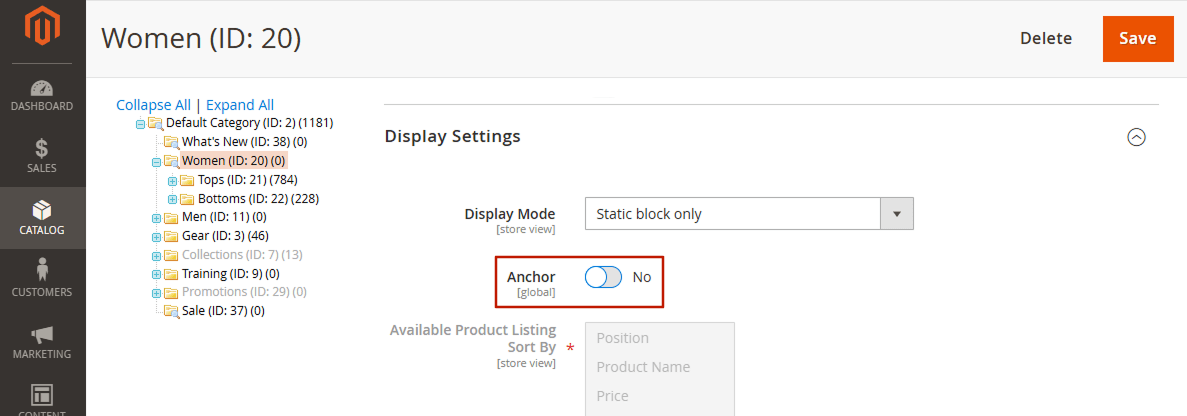
- Category Hierarchy: Stick to a shallow hierarchy (Home > Category > Sub-category > Product). The further a page is from the homepage, the less “link equity” it receives.
- Breadcrumbs: These are essential for UX, allowing users to navigate back to previous categories. For SEO, breadcrumbs provide clear internal linking and can appear in Google Search results, improving Click-Through Rate (CTR).
Search and Filtering Experience
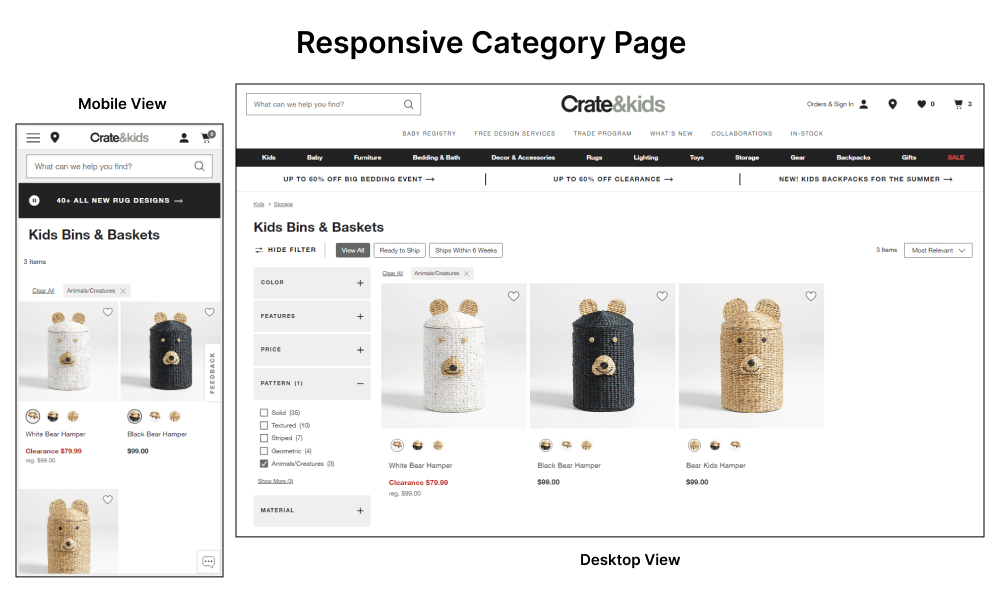
Magento’s “Layered Navigation” is one of its strongest features, but it can be an SEO nightmare if not handled correctly.
- Product Discovery: An internal search bar with autocomplete helps users skip navigation and go straight to their intent.
- SEO-Friendly Filters: Use extensions or custom code to ensure that filter combinations don’t create thousands of duplicate URLs. Use AJAX for filtering to keep the user on the page, but ensure the primary category URLs remain crawlable.
SEO-Driven UX Best Practices in Magento
Once the technical foundation is set, you should focus on the “on-page” experience. This is where you optimize the actual content and layout to satisfy both the user’s curiosity and the search engine’s requirements.
Content Clarity and Scannability
Internet users rarely read every word; they scan.
- Header Hierarchy: Use H1 tags for product names, H2 for main sections (Description, Specifications, Reviews), and H3 for sub-points. This creates a clear outline for crawlers.
- Bullet Points and White Space: Break long descriptions into digestible chunks. Highlight benefits (e.g., “Waterproof up to 50m”) rather than just listing raw data.
- Visual Hierarchy: Use bold text for key features and ensure the “Add to Cart” button stands out against the background.
Product and Category Page UX
These are the “money pages” of your Magento store.
- Meta Metadata: Ensure every page has a unique Meta Title and Meta Description. While descriptions don’t affect ranking directly, they act as “ad copy” that entices users to click.
- Clean URLs: Avoid URLs with long strings of parameters (e.g., /catalog/product/view/id/123). Instead, use descriptive, keyword-rich URLs (e.g., /blue-denim-jacket.html).
- Structured Data (Schema Markup): Implement Schema.org markup to show star ratings, prices, and stock status directly in Google results. This significantly increases CTR and builds trust before the user even visits your site.
Internal Linking UX
Internal links are the bridges between your pages. They guide users to related products (Cross-sells) or helpful guides (Blog posts), keeping them in your ecosystem.
- Contextual Links: Instead of just “Related Products,” use links within the copy to guide users. For example, in a description for a camera, link to a “Best Lenses for This Camera” blog post.
- Topical Authority: By linking related products and categories, you help Google understand the “topic” of your site, which can improve rankings for broad industry keywords.
Technical SEO Foundations that Support UX
Technical SEO isn’t just for bots; it prevents the errors that lead to a poor user experience.
Canonical Tags for duplicate content
In Magento, a single product can often be reached via multiple URLs (e.g., through different categories). Without proper canonical tags, search engines see this as duplicate content, and users might get confused if they share different links for the same item. Canonical tags tell Google which version is the “master” copy.
- Go to Stores > Configuration > Catalog > Catalog > Search Engine Optimization.
- Set Use Canonical Link Meta Tag for Categories to Yes.
- Set Use Canonical Link Meta Tag for Products to Yes.
- This prevents Google from penalizing your site if a product is accessible via multiple category paths.
XML Sitemaps and Robots.txt
A well-configured sitemap.xml ensures that Google finds all your important pages, while a robots.txt file prevents them from wasting time on “junk” pages like customer account sections or checkout pages. A cleaner crawl results in faster indexing of new products.
Customize this at Content > Design > Configuration > [Your Store] > Search Engine Robots. Ensure you are disallowing /checkout/, /customer/, and /catalogsearch/ to focus crawlers on your high-value pages.
Eliminating 404s and Redirect Chains
Nothing ruins UX faster than clicking a link and landing on a 404 error page. Regularly audit your Magento store for broken links. Use 301 redirects to send users from old, out-of-stock product pages to the most relevant new category or product.
SEO-Friendly Pagination
For categories with hundreds of products, Magento uses pagination. Use rel=”next” and rel=”prev” (though Google’s support for these has changed, other engines still use them) and ensure that “View All” pages don’t slow down the site.
Common Magento UX and SEO Mistakes
Avoid these frequent pitfalls that can sabotage your store’s performance:
- Overloaded Homepages: Many store owners fill their homepage with massive sliders, video backgrounds, and dozens of featured products. This creates “analysis paralysis” for users and severely slows down the site.
- Duplicate Content via Filters: If not configured correctly, Magento’s layered navigation can create millions of URLs for different filter combinations (e.g., ?color=red&size=xl vs ?size=xl&color=red). This dilutes your SEO strength.
- Friction-Heavy Checkout: A checkout process with too many steps or mandatory account creation kills conversion. Use a “One-Step Checkout” extension to improve UX.
- Extension Bloat: Installing too many extensions can lead to code conflicts, slow performance, and a cluttered UI. Always validate the UX and performance impact of a new module before deploying it.
- Poor Accessibility: Neglecting font contrast, alt text for images, and keyboard navigation not only hurts SEO but also excludes a significant portion of potential customers.
Practical Direction for Magento Stores
If you are looking to improve your Magento store today, follow this prioritized roadmap:
Start with a UX Audit
Before adding new SEO content, look at your “Leaky Bucket.” Use tools like Hotjar or Google Analytics 4 (GA4) to see where users are dropping off. Are they leaving on the category page? Maybe the filters are confusing. Are they leaving on the product page? Maybe the shipping costs are hidden.
Performance First, Aesthetics Second
Do not redesign your layout until your site is fast. A beautiful site that takes 6 seconds to load will always perform worse than a plain site that takes 1 second to load. Focus on Varnish, Image Optimization, and cleaning up your JavaScript.
Prioritize Category and Product Pages
While a blog is great for SEO, your category and product pages are what drive revenue. Ensure these pages have the best UX and the most robust technical SEO (Schema, clean URLs, and fast loading) before focusing on long-form blog content.
Measure UX Impact with Behavior Metrics
Rankings are a “lagging indicator.” Instead of obsessing over whether you moved from position 5 to 4, look at “leading indicators” like:
- Average Session Duration
- Pages per Session
- Add-to-Cart Rate
- Exit Rate on key pages
If these metrics improve, your SEO rankings will almost inevitably follow.
Conclusion
Magento UX and SEO are not separate tasks to be checked off a list; they are integrated components of a successful e-commerce strategy. By focusing on site speed, mobile usability, and a clear site structure, you satisfy the technical requirements of search engines while providing a seamless shopping journey for your customers.
When you prioritize the user, search engines will naturally reward your store with higher visibility. In the world of Magento, a fast, intuitive, and helpful store is the most powerful SEO tool you have.