
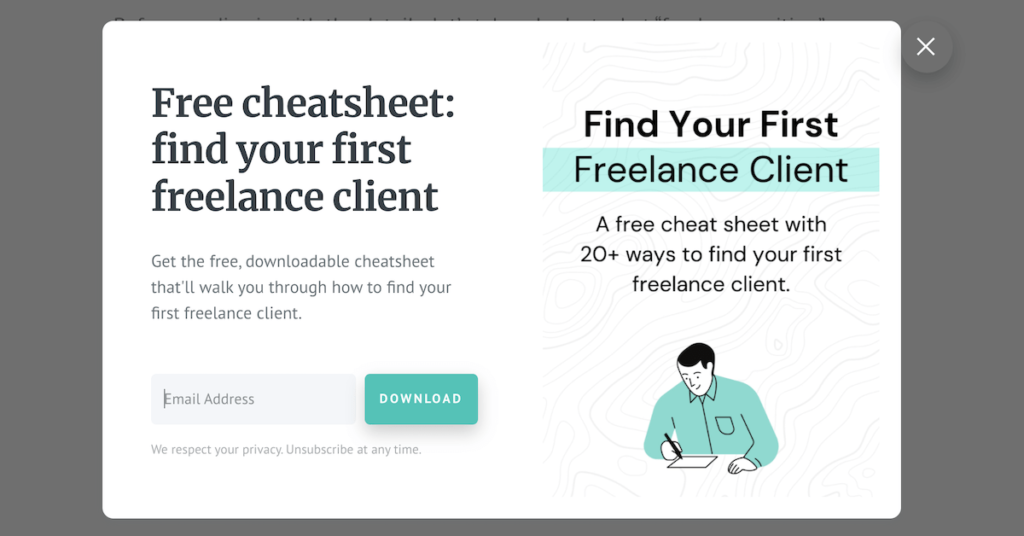
The struggle against cart abandonment is a constant challenge for e-commerce businesses. When a visitor decides to leave your store, it often represents a lost opportunity and wasted marketing spend.
By leveraging Magento exit-intent popups to recover abandoned traffic, you can re-engage users at the exact moment they intend to depart. This guide explores how to transform exiting visitors into loyal customers through strategic timing and data-driven optimization.
Why exit-intent popups matter for Magento stores
The foundation of a successful recovery strategy starts with understanding why these tools are so powerful. Unlike standard popups that interrupt browsing, exit-intent technology is reactive and acts as a “safety net.”
For Magento store owners, these popups provide a final chance to address concerns or capture contact information before a session ends. This proactive approach helps reduce bounce rates and improves the overall return on ad spend.
Understanding abandoned traffic in Magento
Abandoned traffic isn’t just about a full cart left at the checkout. It includes users who bounce from category pages or those who spend minutes reading descriptions but never click “add to cart.”
In a Magento environment, high abandonment rates can often be traced to specific friction points:
- Unexpected shipping costs or taxes revealed late in the journey.
- Complex checkout flows that require too many steps or account creation.
- Simple price comparisons where users leave to find a better deal elsewhere.
- Technical issues such as slow page load times or broken links.
How exit-intent technology works
Exit-intent technology uses a specific algorithm to track cursor movement and velocity. On a desktop, the system detects when the mouse moves toward the browser’s “close” button or address bar.
Mobile devices require different detection methods since there is no cursor involved:
- Back button clicks: Triggering the popup when a user tries to return to search results.
- Scroll direction: Detecting rapid upward scrolling which often indicates an intent to leave.
- Tab switching: Activating when the user attempts to switch to another browser tab.
- Idle time: Firing after a specific period of inactivity to re-awaken user interest.
When exit-intent popups are most effective
Timing is everything in recovery. These popups yield the highest return when they solve a specific problem for the shopper at the right moment.
By focusing on intent, you move from being intrusive to being helpful in the following scenarios:
- High-value pages: Offering a “save for later” option on expensive items.
- Comparison shopping: Providing a limited-time coupon to discourage price hunting.
- Final checkout: Offering free shipping to users who stall at the payment step.
Leveraging Magento exit-intent popups to recover abandoned traffic
Effectively leveraging Magento exit-intent popups to recover abandoned traffic requires a combination of the right tools and a deep understanding of your audience. The goal is a seamless transition from “leaving” to “engaging.”
Choosing the right pages for exit-intent triggers
Not every page on your Magento site should have an exit-intent trigger. Overusing them can frustrate users and lead to a negative brand perception over time.
Focus your efforts on high-intent areas where the chance of conversion is highest:
- Shopping cart: This is the most critical area for preventing immediate revenue loss.
- Checkout steps: Use popups here to answer FAQs or offer live chat assistance.
- PPC landing pages: Ensure your paid traffic doesn’t leave without leaving a lead.
- Out of stock pages: Use these to capture emails for future availability alerts.
Configuring exit-intent rules and targeting in Magento
Magento’s flexibility allows for sophisticated targeting. You should configure your rules based on user segments to ensure the message resonates with the specific visitor.
Implementing a robust Magento SEO extension can help ensure that your site remains fast and discoverable while these scripts run in the background.
Consider these targeting parameters for your campaign:
- New vs. Returning: Offer first-time discounts to new users and loyalty rewards to returnees.
- Cart value: Trigger different offers based on whether the cart is $20 or $200.
- Geographic location: Show region-specific shipping offers or localized language messages.
- Traffic source: Customize the pop-up based on whether they came from Instagram or Google.
Crafting offers and messaging that encourage engagement
The content of your pop-up must be compelling enough to stop a user in their tracks. Avoid generic phrases and instead use value-driven headlines that address user pain points.
Keep the design clean and the call-to-action (CTA) button prominent using these tips:
- Create urgency: Use countdown timers for specific discount codes.
- Use social proof: Mention how many other people have bought the item recently.
- Offer alternatives: Suggest related products if the current one isn’t a perfect fit.
- Keep it simple: Ensure the form has as few fields as possible to reduce friction.
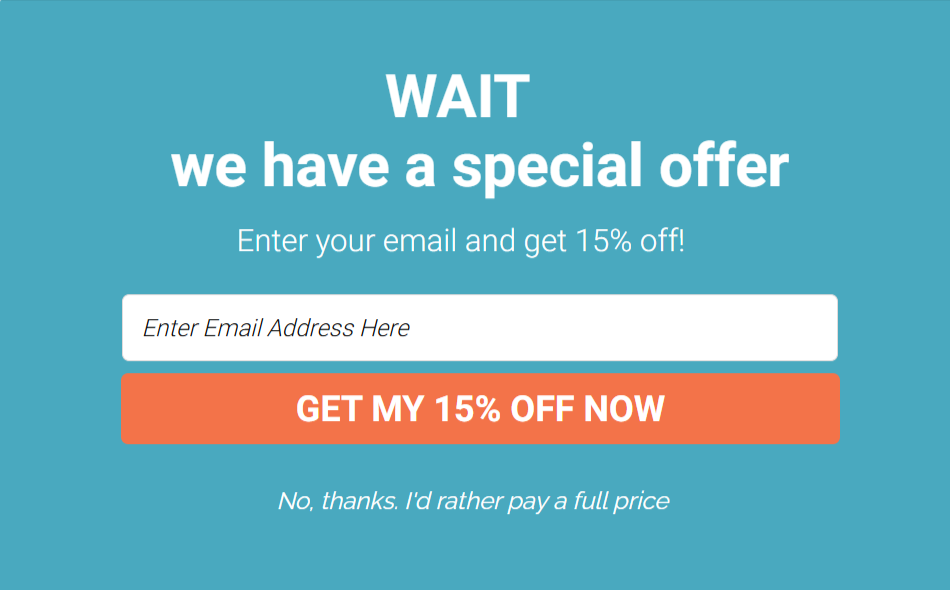
Capturing leads versus recovering immediate conversions
You must decide whether your goal is a “hard sell” or a “soft lead.” Immediate recovery involves offering a discount code to be used right now to finish a transaction.
This is particularly effective when combined with Magento back-in-stock notifications for items that were unavailable during their visit.
Lead capture is often more sustainable for long-term growth:
- Newsletter signups: Exchange a discount for an email to build your marketing list.
- E-books or guides: Provide value in exchange for contact details on B2B stores.
- Wholesale inquiries: Encourage bulk buyers to leave details for a custom quote.
Balancing popup frequency with user experience
One of the biggest risks of exit-intent technology is “popup fatigue.” To prevent this, set frequency caps so users aren’t bombarded every time they move their mouse.
Ensure the “close” button is easy to find; forcing a user to see a popup they can’t dismiss will only accelerate their departure.
Maintain a healthy balance by following these UX principles:
- Session limits: Show the popup only once per 24 hours or per session.
- Delayed triggers: Wait a few seconds after intent is detected to avoid accidental fires.
- Mobile friendliness: Use “thumb-friendly” buttons and legible text sizes for small screens.
Optimizing and measuring exit-intent popup performance
Once your popups are live, the work shifts to refinement. Data should dictate your next moves to ensure you aren’t leaving money on the table.
Tracking recovery rates and conversion metrics
To see if you are truly leveraging Magento exit-intent popups to recover abandoned traffic, you must track specific KPIs beyond just raw view counts.
Your primary metrics should include:
- Click-through rate (CTR): The percentage of people who engaged with the popup.
- Conversion rate: How many people actually completed a purchase after clicking.
- Recovery value: The total revenue generated specifically from popup interactions.
- Bounce rate impact: Whether the popup is helping keep people on the site longer.
Testing and improving popup design and messaging
A/B testing is your best friend. Try testing two different headlines: one that focuses on a percentage discount and another that focuses on a flat dollar amount.
Small changes in button color or font size can lead to significant improvements in click-through rates and overall campaign success.
Personalizing Magento promotions without hurting SEO is a delicate balance, so ensure your popup scripts are optimized for speed and don’t block initial rendering.
Elements worth testing include:
- Images: Lifestyle photography vs. product-only shots.
- Copy: Humorous and lighthearted tones vs. urgent and professional ones.
- Timing: Triggering exactly at exit vs. after 30 seconds of page dwell time.
Avoiding common mistakes that reduce effectiveness
Many merchants make the mistake of offering a discount too early, which trains customers to never pay full price. This can devalue your brand over time.
Ensure your logic prevents “popup stacking” where multiple windows overlap and frustrate the user.
Watch out for these common pitfalls:
- Mobile scaling issues: Popups that are larger than the mobile viewport.
- Broken promo codes: Codes that have expired or don’t apply to the items in the cart.
- Poor contrast: Text that is difficult to read against the background image.
- Slow loading: Popups that take too long to appear after the intent is triggered.
Conclusion
Leveraging Magento exit-intent popups to recover abandoned traffic is a high-impact strategy that requires thoughtful execution. By understanding why visitors leave, you can provide a relevant reason to stay.
Success lies in the balance between aggressive recovery and a positive user experience. Continually test your offers and monitor your performance data to ensure your Magento store remains a competitive destination for every shopper.