
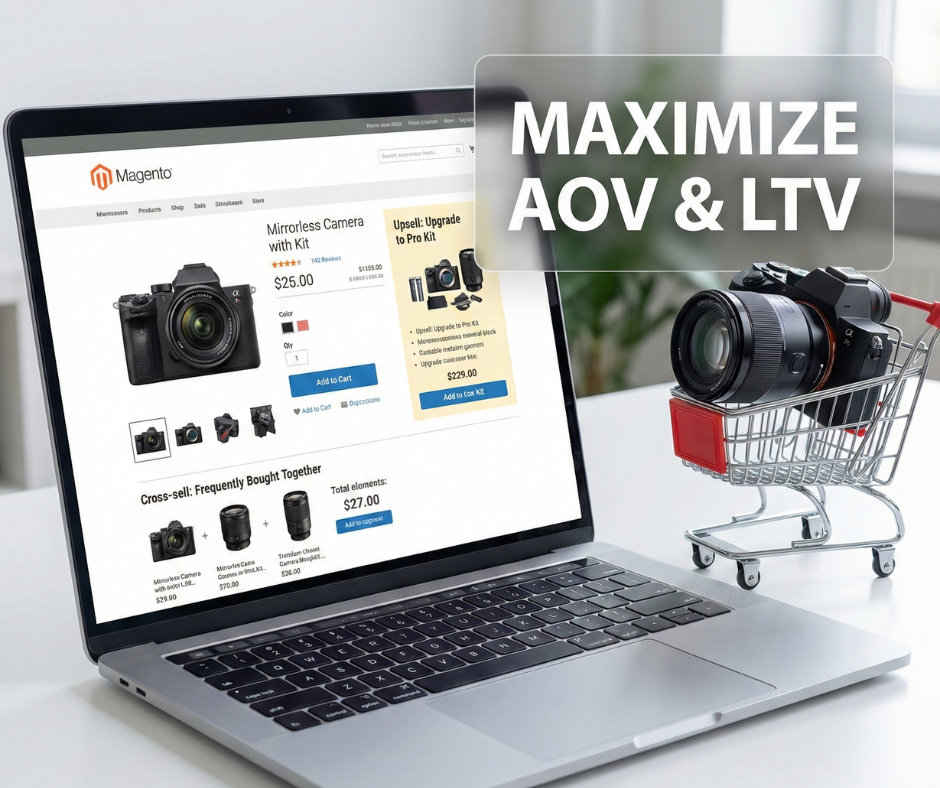
In the competitive digital commerce landscape, maximizing the value of every visitor session is critical, as retaining customers is far more cost-effective than acquiring new ones. Mastering these sales strategies in Magento is an operational necessity that transforms simple transactions into value-added experiences, helping shoppers discover premium alternatives or essential accessories while boosting Average Order Value (AOV) and Customer Lifetime Value (LTV).
By leveraging Magento’s robust architecture for both manual product linking and automated scaling, merchants can drive higher margins without increasing customer acquisition costs. This guide provides a technical and strategic framework for configuring upsell and cross-sell campaigns in Magento, covering admin setup and advanced optimization techniques to ensure your recommendations drive sustainable revenue growth rather than user friction.
Upsell vs cross-sell in Magento: what is the difference?
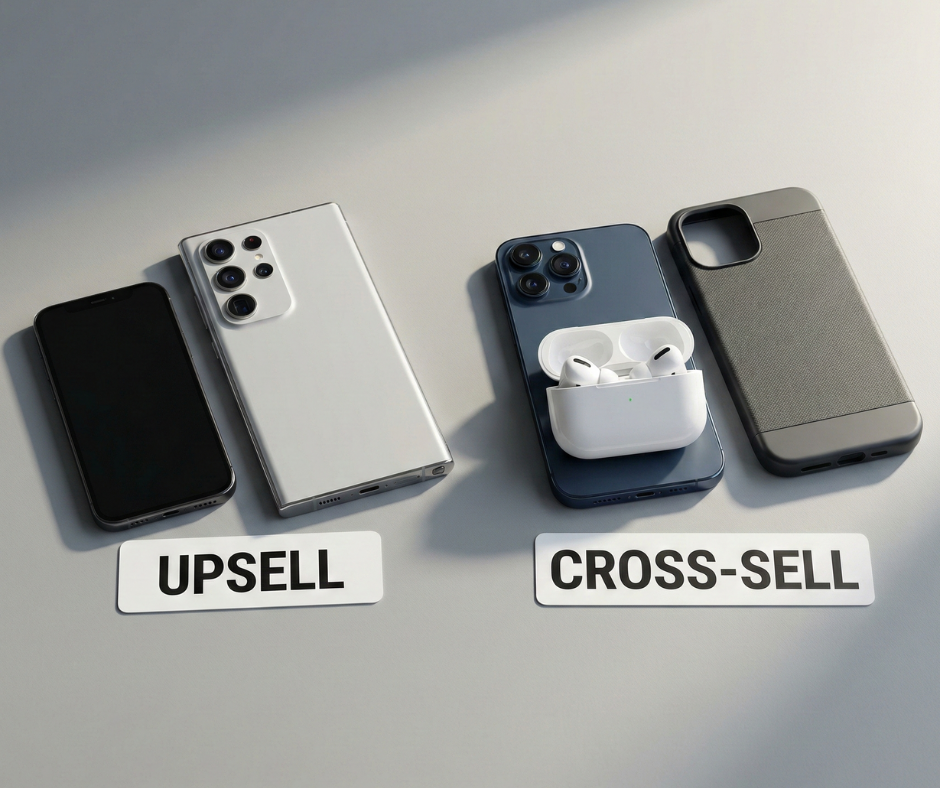
To build a high-converting storefront, merchants must understand the specific psychological triggers and technical placements associated with each recommendation type. Magento distinguishes between these two based on where the user is in their buying journey.
Definition of upsell and cross-sell
An upsell is a strategy designed to encourage a customer to purchase a higher-end version of the item they are currently considering. The intent is to “upgrade” the customer’s selection to a product with better features, higher performance, or greater value. For example, if a user is viewing a standard 1080p monitor, an upsell would be a 4K Ultra-HD version of the same model. In the Magento environment, upsell products are displayed prominently on the product detail page (PDP).
A cross-sell is a strategy focused on suggesting items that are complementary or related to the product already in the shopper’s cart. The intent is to “expand” the order. Using the monitor example, a cross-sell would be an HDMI cable, a monitor mounting arm, or a screen cleaning kit. In Magento, cross-sell products are traditionally placed on the shopping cart page and occasionally during the checkout flow to capture impulse buys.
When to use each tactic in the customer journey
The effectiveness of a recommendation depends heavily on timing. Upsells should be deployed during the exploration phase. When a customer is on a PDP, they are still evaluating their options and are most receptive to seeing a “better” version of the product.
Cross-sells are most effective during the commitment phase. Once a user has added an item to their cart, they have mentally committed to the purchase. Offering small, high-utility add-ons at this stage feels like a convenience rather than a sales pitch. Magento’s native logic respects this distinction by limiting cross-sell blocks to the cart area to prevent distracting users during the initial selection process.
Examples specific to Magento product flows
Magento’s flexibility allows for diverse applications. A furniture merchant might upsell from a standard sofa to a premium leather version (Quality-based) or from a two-seater to a sectional (Size-based). They would then cross-sell a fabric protection plan or decorative pillows in the cart. Understanding these flows is the first step in planning successful upsell and cross-sell campaigns in Magento that align with professional procurement patterns. For apparel brands, integrating these tactics into broader Marketing strategies for Magento fashion stores ensures that every product page helps define a complete ‘look,’ rather than just selling an individual item.
Prerequisites before setting up campaigns
A recommendation engine is only as good as the data feeding it. Before configuring your campaigns, you must ensure your Magento environment is optimized for data integrity.
Clean product catalog and attributes
Magento uses product attributes to establish relationships. If you intend to use automated rules, your attributes (e.g., brand, color, compatibility) must be populated accurately across the entire catalog. A clean catalog ensures that “Out of Stock” items or discontinued SKUs are not promoted, which prevents user frustration and protects brand trust.
Accurate pricing and inventory
Technical accuracy in pricing is paramount. If your upsell product is priced significantly higher than the base product (e.g., a 300% price jump), the conversion rate will plummet. Best practices suggest that an upsell should stay within a 20-30% price range of the original item. Furthermore, ensure that Magento’s inventory indexers are running correctly so that only “In Stock” products are recommended.
Clear campaign goals
Are you aiming for higher AOV, clearing out specific inventory, or increasing the “attach rate” of accessories? Defining your Key Performance Indicators (KPIs) beforehand allows you to measure the ROI of your upsell and cross-sell campaigns in Magento and adjust your strategy based on hard data.
UX and performance considerations
Every additional product block on a page adds to the server load and the browser’s rendering time. Optimize your images and ensure your Full Page Cache (FPC) is configured correctly to maintain the fast performance that search engines and users expect.
Step 1 – Plan your upsell and cross-sell strategy
Effective planning bridges the gap between your technical catalog and your financial goals. You must identify which products have the highest synergy.
Identifying high-margin and complementary products
Analyze your historical sales data to find “Frequently Bought Together” patterns. These pairings represent the path of least resistance for cross-selling. For upselling, focus on products with high customer satisfaction scores and healthy margins, as these are the most sustainable to promote.
Mapping opportunities to funnel stages
- Product Page (PDP): Prioritize upsells to premium versions.
- Mini-Cart/Sidebar: Offer quick, low-cost “essential” cross-sells.
- Shopping Cart Page: Display high-utility accessories.
- Post-Purchase (Email): Recommend replenishment items or related categories.
Deciding where campaigns should appear
While Magento has default positions for these blocks, you should consider your theme’s layout. If your upsell block is buried at the very bottom of a long product page, it will go unnoticed. Aim for “above the fold” or “near the Add to Cart” placements to maximize visibility and impact.
Step 2 – Set up upsell products in Magento
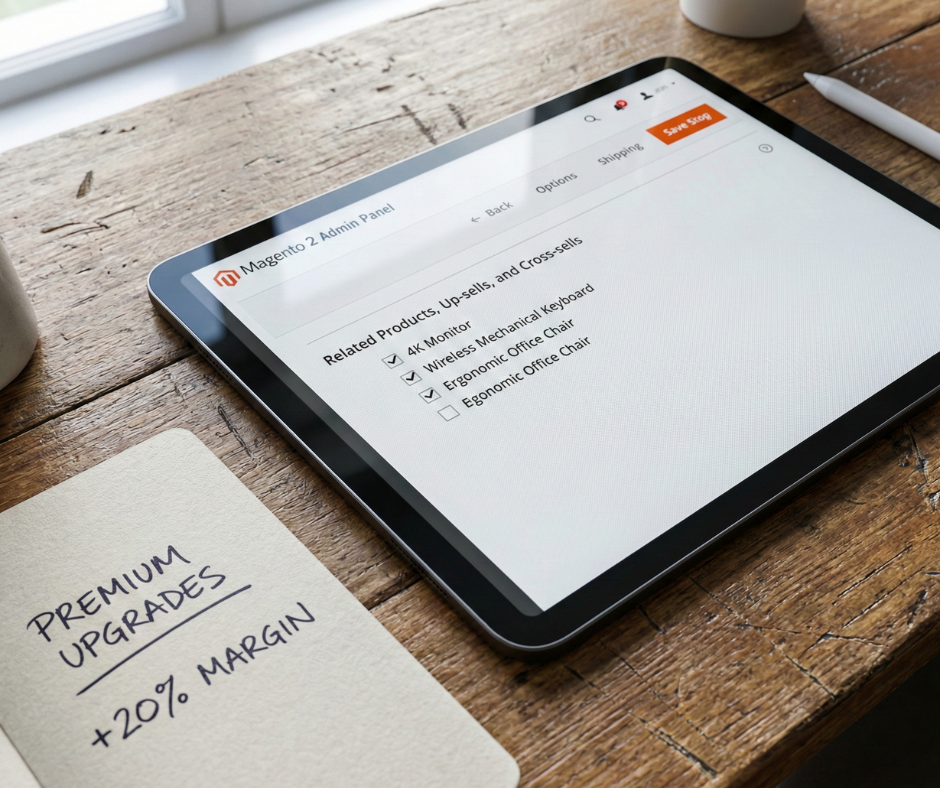
In Magento Open Source, upselling is a manual process managed at the product level. In Adobe Commerce, this can be automated via Target Rules.
How Magento handles upsell product relationships
Upsells are defined as a specific link type in the Magento database. It is a directional relationship; linking Product B as an upsell for Product A does not automatically link Product A back to B. This gives merchants granular control over the “upgrade path” for their customers.
Assigning upsell products at the product level
- Navigate to Catalog > Products in the Magento Admin.
- Select the product you wish to edit.
- Scroll to the Related Products, Up-sells, and Cross-sells section.
- Click Add Up-sell Products.
- Use the grid filters to find the premium alternatives.
- Select the target products and click Add Selected Products.
- Save the product and refresh the cache.
Best practices for relevance and price positioning
Always prioritize relevance over profit margin. If a customer is browsing budget headphones, recommending audiophile-grade gear is a mismatch. Recommending the next model up in the same series is a logical, helpful upsell. Ensure the visual presentation highlights the “benefits” of the upgrade, such as “Better Battery Life” or “Premium Materials.”
Step 3 – Set up cross-sell products in Magento
Cross-selling is the key to increasing the number of items per order. To master this, you should learn all about cross-selling: 5 strategies and 3 must-have Magento apps to leverage advanced automation beyond the native manual links.
Configuring cross-sell products for cart and checkout
The manual setup in the admin is identical to the upsell process, except you click the Add Cross-sell Products button. These items will appear on the /checkout/cart/ page. In some customized Magento themes, they may also appear in a “Mini-cart” overlay.
Choosing complementary items that increase aov
Focus on “impulse” items—products that are low-priced enough that the customer doesn’t need to perform extensive research. Examples include batteries for electronics, socks for shoes, or ink for printers. These are items that the user likely forgot they needed, making the recommendation feel like a helpful reminder rather than an intrusion.
Avoiding irrelevant or excessive recommendations
Magento allows you to link many products, but showing too many options can lead to “Choice Paralysis.” Limit your cross-sell block to 3 or 4 high-relevance items. If a user is buying a laptop, don’t suggest a random kitchen appliance just because it’s on sale. Keep the context tight and the user journey focused on the primary purchase.
Step 4 – Configure related products and bundles
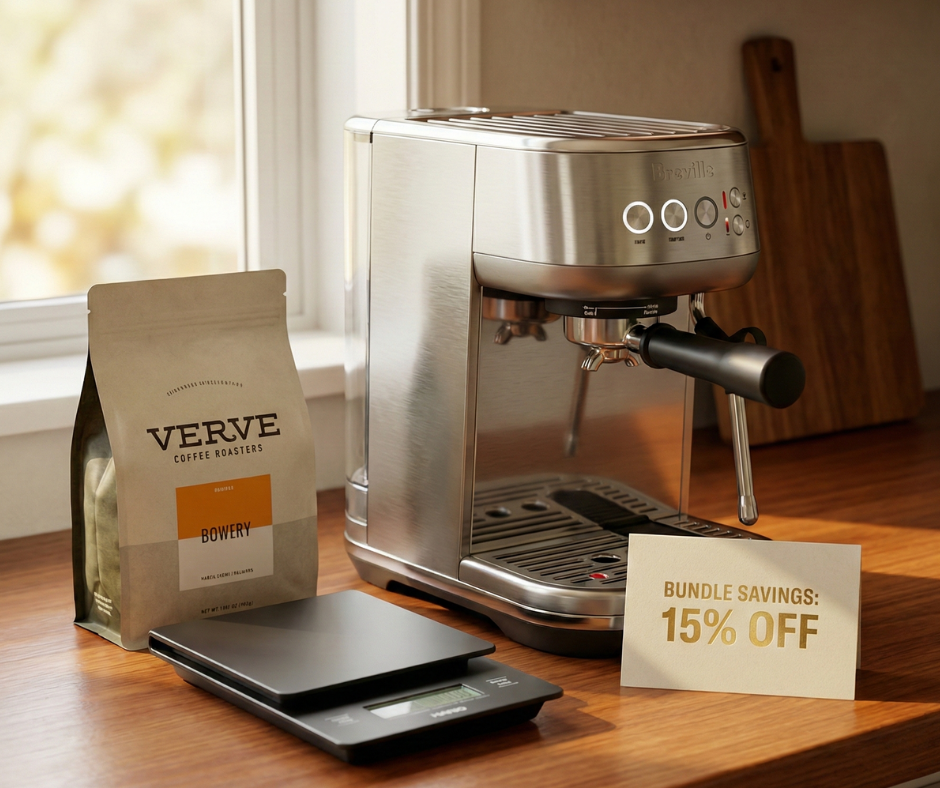
Beyond the two main types, Magento offers “Related Products” and “Bundled Products” to provide additional value.
When to use related products vs upsells
Related products are “horizontal” moves. If a user is looking at a blue shirt, a related product is the same shirt in red or green. It offers variety without pushing for a higher price. Use related products to keep users on your site if the current product isn’t exactly what they want.
Creating bundles and grouped products
Bundling allows you to combine a main product and its cross-sells into a single SKU (e.g., “The Vlogger Starter Kit”). This is one of the most effective ways to execute upsell and cross-sell campaigns in Magento because it simplifies the decision process. The customer sees a discounted “bundle price” and can add all necessary items with one click, significantly boosting AOV. This strategy is especially powerful when implementing holiday marketing ideas for Magento, as curated gift bundles reduce the stress of decision-making for holiday shoppers.
Step 5 – Optimize placement and presentation
A high-margin offer is useless if the customer never sees it. Visual hierarchy and UX design play a major role in conversion rates.
Product page placement best practices
Move your upsell blocks closer to the “Add to Cart” button. Instead of a generic “You may also like” heading, use persuasive copy like “Upgrade your kit” or “See the Pro version.” Ensure that the “Add to Cart” button for the upsell is clearly visible so the user can switch their choice instantly.
Cart and checkout positioning
In the shopping cart, ensure the cross-sell items use AJAX for the “Add to Cart” action. If clicking an accessory causes the entire page to reload, it creates friction that might lead to cart abandonment. The goal is to make the “Add” action as seamless and instantaneous as possible.
Mobile-first ux considerations
On mobile devices, vertical space is precious. Use a horizontal slider (carousel) for recommendations instead of a multi-column grid. This allows users to swipe through suggestions without pushing your primary “Checkout” button further down the screen.
Step 6 – Personalize upsell and cross-sell offers
Standard static links are a great foundation, but personalization is the future of digital commerce.
Segmenting users by behavior and intent
If you are using Adobe Commerce, you can leverage Customer Segments. You might show different upsells to your “VIP” customers than you do to first-time visitors. For example, a VIP might be more receptive to a high-end luxury upgrade, while a first-time user might prefer a “Best Value” recommendation.
Dynamic recommendations vs static relationships
Manually managing thousands of product links is labor-intensive. Many merchants use AI-powered tools (like Adobe Sensei) to automate recommendations based on global consumer behavior. This ensures that your recommendations stay fresh and adapt to shifting market trends without manual intervention from your team.
Step 7 – Track performance and measure results
Data is the only way to validate the success of your upsell and cross-sell campaigns in Magento.
Key metrics to track
- AOV (Average Order Value): The primary metric for success.
- Attach Rate: The percentage of orders that include a recommended item.
- Conversion Rate: Does the presence of these blocks distract the user and lower the overall conversion rate?
- Revenue Per Visit (RPV): A holistic look at how your optimization efforts impact the bottom line.
Monitoring impact on checkout completion
Watch your cart abandonment rates closely. If abandonment spikes after you add a cross-sell block, the offers may be too distracting or intrusive. Use heatmaps to see if users are getting “stuck” on the cart page instead of moving to payment.
Step 8 – Test and optimize campaigns
Testing is an ongoing cycle. What works for one category may not work for another.
A/B testing offer placement and messaging
Test different price points. Does a 15% price jump for an upsell perform better than a 25% jump? Test different headings—”Complete your purchase” vs. “Customers also bought.” Continuous iteration is what separates the top-tier Magento stores from the competition.
Iterating on product combinations
Periodically audit your top-selling products. If a cross-sell item hasn’t been “attached” to a sale in 90 days, swap it for a different product. Use data-driven insights to prune your recommendations and scale the ones that provide the highest RPV.
Common mistakes when setting up Magento upsell and cross-sell campaigns
Avoid these pitfalls to protect your conversion rates:
- Overloading pages: Too many blocks create cognitive load and decision fatigue.
- Irrelevant offers: Recommending a winter coat to a buyer purchasing a swimsuit damages brand credibility.
- Ignoring mobile: If your sliders are broken or too small for touch, you are losing more than half your potential revenue.
- Treating it as “Set and Forget”: Shopping habits change. Your recommendations must evolve with your catalog and your customers’ needs.
Conclusion
Successfully implementing upsell and cross-sell campaigns in Magento is one of the most effective ways to drive profitable growth. By shifting from a reactive catalog to a proactive sales engine, you respect your customers’ time while maximizing your revenue potential.
The key takeaway is that relevance and timing always outperform aggressive selling. When your recommendations feel like a concierge service—helping the buyer find the perfect monitor or the necessary cable—you build the loyalty that drives long-term success. By following the structured framework of planning, technical setup, and continuous data-driven optimization, you ensure that your Magento store remains a powerful, high-converting asset in the global digital marketplace.