

The evolution of search engine optimization has moved decisively away from the era of keyword stuffing and backlink manipulation toward a more sophisticated, user-centric paradigm. Today, Google’s algorithms are designed to reward websites that provide a seamless, valuable, and friction-free experience. These user experience (UX) signals serve as proxies for quality, telling search engines whether a page truly satisfies the user’s intent. Understanding the specific UX signals that influence organic performance in Magento is now a prerequisite for any merchant looking to dominate the search results.
For Magento merchants, the stakes are particularly high. Due to its robust architecture, Magento stores often feature complex layouts, extensive layered navigation, and heavy media loads that can easily degrade UX if not managed with precision. When a store’s UX fails, engagement metrics drop, and Google interprets this as a signal that the page is less relevant, leading to a decline in organic rankings. This guide covers how these signals bridge the gap between technical performance and search visibility.
How Google Uses UX Signals in Organic Search
Direct vs indirect ranking factors
It is vital to distinguish between direct ranking factors (like Core Web Vitals) and indirect signals. While Google has confirmed that speed and mobile-friendliness are direct signals, many other UX elements—such as dwell time or click-through rates—act as indirect signals. They influence how the algorithm perceives the “helpfulness” of your content. If users frequently click your result but immediately return to the search results page, Google receives a signal that your UX or content did not match the query.
Relationship between UX, engagement metrics, and search performance
UX is the foundation of engagement. A well-designed Magento store encourages longer sessions, more page views per visit, and lower bounce rates. Google’s RankBrain and other AI-driven components analyze these patterns to refine rankings. High engagement tells the algorithm that the store is a high-quality destination, which helps sustain and improve organic positions over time. Consistent monitoring of UX signals that influence organic performance in Magento allows teams to pivot their design strategy toward what users actually find valuable.
UX signals vs behavioral signals
UX signals refer to the technical and design elements you control, such as site structure and load speed. Behavioral signals are the user’s reactions to those elements. While Google cannot see your heatmaps or private session recordings, it can observe “pogo-sticking” behavior and the time elapsed before a user returns to the search engine. Magento sites often fail here by prioritizing complex features over simple, intuitive user flows.
Core UX Signals That Influence Organic Performance in Magento
Page speed and core web vitals
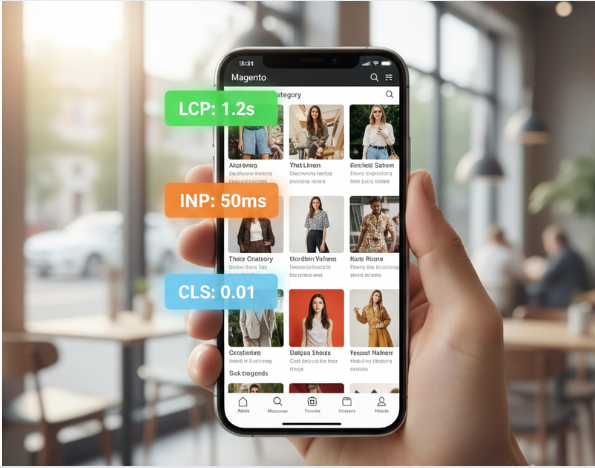
Core Web Vitals (CWV) are the most tangible UX-SEO link.
- Largest Contentful Paint (LCP): In Magento, the LCP is often a large product hero image or a promotional banner. If the theme is not optimized, LCP can easily exceed 4 seconds, leading to a ranking penalty.
- Interaction to Next Paint (INP): This is critical for Magento’s AJAX-heavy features. When a user clicks a “color swatch” or applies a “filter,” the browser’s response must be instantaneous. A sluggish INP suggests a bloated JavaScript execution that frustrates users.
- Cumulative Layout Shift (CLS): Magento stores frequently use dynamic banners and popups. If these elements load without reserved space, the page “jumps,” causing accidental clicks and a poor CLS score.
Mobile usability and responsiveness
Since the completion of mobile-first indexing, Google views your Magento store through the lens of a mobile browser. If your layered navigation is difficult to toggle on a touchscreen, or if your font scaling requires horizontal scrolling, your organic performance will suffer regardless of your desktop optimization. Navigation usability on mobile is the primary area where Magento stores lose SEO authority.
Navigation and site architecture
A clear hierarchy helps both users and crawlers. Faceted navigation (filters) in Magento is a double-edged sword. From a UX perspective, filters make products findable. From an SEO perspective, poorly configured filters can create millions of duplicate URLs. Successful stores use “SEO-friendly” AJAX filters that provide a fast UX without bloating the index. Breadcrumbs are also essential; they provide a clear UX path and help Google understand the internal link equity of your category silos.
Content readability and layout UX
Clutter is the enemy of SEO. Magento product pages often have excessive tabs and specifications that can overwhelm the user.
- Above-the-Fold Clarity: Users should understand what the page is about within two seconds.
- Scannability: Use H2 and H3 tags effectively. This improves the text-to-HTML ratio and makes the content easier for both humans and bots to parse.
- Expandable Content: While tabs are useful for UX, ensure that critical SEO content isn’t hidden in a way that prevents it from being indexed or viewed as “secondary.”
Engagement and interaction signals
- Dwell Time: The length of time a user spends on your page after clicking a search result. High dwell time is a strong indicator of relevance.
- Scroll Depth: If users only see 10% of your Magento category page, your “SEO content” placed at the footer is likely useless.
- CTA Visibility: A clear call-to-action reduces friction. If a user can’t find the “Add to Cart” or “Learn More” button, they will bounce, sending a negative signal to Google.
Product Page UX Signals That Impact SEO Performance
Product pages are the high-intent “money pages” where conversions happen. Google evaluates these pages based on how effectively they help a user make a purchase decision.
- Image Optimization: While high-resolution imagery is a non-negotiable UX requirement for e-commerce, it often conflicts with speed. In Magento, you must implement WebP or AVIF formats. These modern formats provide superior compression without quality loss, ensuring that media assets do not block the main thread. Additionally, implementing srcset attributes allows the browser to fetch the appropriately sized image for the user’s device, directly improving the Largest Contentful Paint (LCP).
- Social Proof Integration: Trust is a significant UX signal. By integrating customer reviews and ratings directly into the product layout, you reduce user anxiety and increase time-on-page. From an SEO standpoint, using Schema.org AggregateRating markup allows Google to display “Review Snippets” (stars) in SERPs. This visual enhancement boosts your Organic Click-Through Rate (CTR), which Google interprets as a signal of high relevance and quality.
- Configurable Products & Interactivity: Magento’s configurable products (e.g., selecting sizes/colors) must be handled seamlessly. If a user selects a different color and the entire page reloads, it breaks the UX flow and increases the bounce risk. Utilizing AJAX for state changes ensures the URL remains stable while updating only the necessary page fragments. To find the optimal structural balance for these interactive elements, many merchants rely on A/B testing Magento product pages layouts to see which configurations yield the highest engagement and lowest bounce rates. This improves the Interaction to Next Paint (INP) signal, keeping the user engaged without the friction of unnecessary loading screens.
Category Page UX Signals for Organic Growth
Category pages often act as the “entry point” for broad, high-volume search terms. Optimizing their UX is key to maintaining a low bounce rate and high crawl efficiency.
- SEO Content Placement & Visual Balance: Many Magento sites place large blocks of SEO text at the top of category pages, pushing the product grid below the fold. This is a negative UX signal. The optimal balance is a short, 2-3 line introductory summary above the products, with more detailed content placed at the bottom. This satisfies Google’s need for context while ensuring users can immediately interact with the product list.
- Pagination vs. Infinite Scroll: While infinite scroll is popular for “discovery-based” UX, it can be a nightmare for SEO if not implemented correctly, as search bots struggle to “scroll” to discover products on deeper pages. The best compromise is a “Load More” button combined with proper URL fragments (e.g., ?p=2). This allows for a modern UX while ensuring that every product remains accessible via a crawlable link structure.
- Filter Usability & Performance: Layered navigation is essential for category UX. However, if every click on a filter triggers a 2-second loading overlay, the user experience is compromised. Ensure that your AJAX filtering is optimized to return results in under 500ms. Fast filtering encourages users to refine their search within your site rather than pogo-sticking back to Google to find a different store.
Measuring UX Signals in Magento
Effective optimization requires data-driven insights. You must move beyond surface-level metrics to understand how users truly interact with your store.
Tools to track UX and engagement
- Google Search Console (GSC): This is your primary source for “Core Web Vitals” data. The “Page Experience” report highlights exactly which URLs are failing Google’s technical UX standards on mobile versus desktop.
- GA4 Engagement Metrics: In the era of GA4, the old “Bounce Rate” is less relevant than “Average Engagement Time” and “Key Events.” By tracking how long a user is actually looking at your screen and interacting with elements, you get a clearer picture of whether your UX is satisfying search intent.
- PageSpeed Insights & Lighthouse: Use these tools to perform “lab tests” on your Magento theme. They simulate various network conditions (like 4G throttling) to show how your UX holds up for users with slower connections.
UX metrics that matter most for SEO
The most critical correlation to organic growth lies in the relationship between LCP (Speed) and Conversion Rate (Satisfaction). If a user converts, Google receives an implicit signal that the page provided a high-quality experience. Furthermore, analyzing UX signals that influence organic performance in Magento confirms that Interaction to Next Paint (INP) is now a top-tier metric. It measures the latency of every user interaction on the page, ensuring that your Magento store is not just fast to load, but fast to respond.
Common UX Mistakes in Magento That Hurt Organic Performance
In the complex Magento ecosystem, poor UX decisions often translate directly into technical SEO deficits. Avoiding these common pitfalls is essential for maintaining a healthy crawl budget and high search rankings.
- Overloaded Themes: Marketplace “all-in-one” themes are notorious for “feature bloating.” They often ship with 50+ redundant JavaScript libraries (multiple jQuery versions, outdated slider plugins, etc.) that create massive technical debt. This results in high Main Thread Work and slow Time to Interactive (TTI). To mitigate this without adding visual bloat, savvy merchants opt for a dedicated seo Magento extension. Such tools automate technical optimizations—like metadata generation, advanced XML sitemaps, and Schema.org markup—centralizing SEO logic without the performance tax of a heavy frontend theme.
- Intrusive Interstitials: Implementation of newsletter popups that trigger immediately upon mobile entry is a direct violation of Google’s “Intrusive Interstitials” policy. From a UX perspective, it frustrates the user journey; from an SEO perspective, it leads to ranking devaluations. Instead of full-screen overlays, Magento stores should use timed-delay triggers (appearing only after 30+ seconds), scroll-depth triggers, or non-obstructive “smart banners” that occupy less than 20% of the screen real estate.
- UX-SEO Conflict (The “Display: None” Trap): A frequent mistake is using display: none to hide keyword-rich SEO copy to achieve a minimalist, “clean” aesthetic. Google’s algorithms have evolved to devalue or ignore content hidden in this manner, as it can be flagged as “cloaking.” The professional solution is to use Accordions or “Read More” toggles paired with proper ARIA labels (e.g., aria-expanded). This signals to Google that the content is accessible and relevant to the user experience, just tucked away for better legibility.
How to Optimize UX Signals Without Hurting Conversions
UX and Conversion Rate Optimization (CRO) should function as a cohesive unit. When these signals are aligned, Google interprets high engagement as a marker of quality.
- Data-Driven Testing (A/B Testing): Never implement a major UX shift based on intuition alone. The strategic implementation of Magento A/B testing allows you to validate how specific design changes influence both search rankings and user satisfaction before a full rollout. For instance, if you decide to move the long-form product description below the “Related Products” grid to streamline the buying path, you must monitor your Search Console data. If rankings for specific long-tail queries (linked to that description) start to slip, you may need to re-introduce a “Key Features” bulleted list or a “Quick Summary” in the “above-the-fold” area to retain semantic relevance.
- Technical Prioritization (Core Web Vitals): The hierarchy of optimization should always start with technical UX signals: Largest Contentful Paint (LCP) and Cumulative Layout Shift (CLS). These are binary ranking factors in Google’s algorithm. Fix layout shifts (like images loading without dimensions) first, as they cause “accidental clicks” and high bounce rates. Once the technical foundation is stable, move to qualitative improvements such as faceted navigation logic and one-page checkout refinements.
- Balancing Content and Whitespace: While whitespace improves conversion by reducing cognitive load, it shouldn’t come at the cost of information density. Use sticky navigation and dynamic breadcrumbs in Magento to ensure that even with a minimalist design, the site structure remains “flat” and easy for both users and crawlers to navigate.
UX Optimization Checklist for Magento SEO
Technical UX checklist
- LCP is under 2.5 seconds on mobile.
- CLS is under 0.1 for all landing pages.
- INP is under 200ms.
- HTTPS is enforced and all assets are secure.
Content and layout UX checklist
- H-tags are used logically (H1 for title, H2 for subheaders).
- Above-the-fold content includes a clear H1 and a primary CTA.
- Font size is at least 16px for body text on mobile.
Navigation and interaction UX checklist
- Breadcrumbs are visible and contain Schema markup.
- Mobile menu is easy to operate with one thumb.
- Filters (Layered Navigation) use AJAX without changing the base URL unnecessarily.
Conclusion
User Experience is no longer a separate discipline from SEO; they are two sides of the same coin. In the Magento ecosystem, where technical complexity is a constant challenge, prioritizing UX signals that influence organic performance in Magento is the most effective way to protect and grow your search authority.
By focusing on Core Web Vitals, mobile usability, and engagement-driven layouts, you align your business goals with Google’s primary objective: delivering the best possible experience to the user. SEO is no longer about “tricking” the algorithm—it is about proving to Google that your Magento store is the most reliable, fastest, and most intuitive destination for your customers.