

Magento is a powerhouse in the e-commerce world, offering unparalleled flexibility and scalability. However, that very complexity often introduces significant SEO hurdles. If left unaddressed, these issues can lead to crawl inefficiencies, keyword cannibalization, and poor user experiences. This guide explores the most common SEO issues in Magento stores and provides actionable technical solutions to resolve them.
Duplicate content and index bloat (Canonical + Noindex strategy)
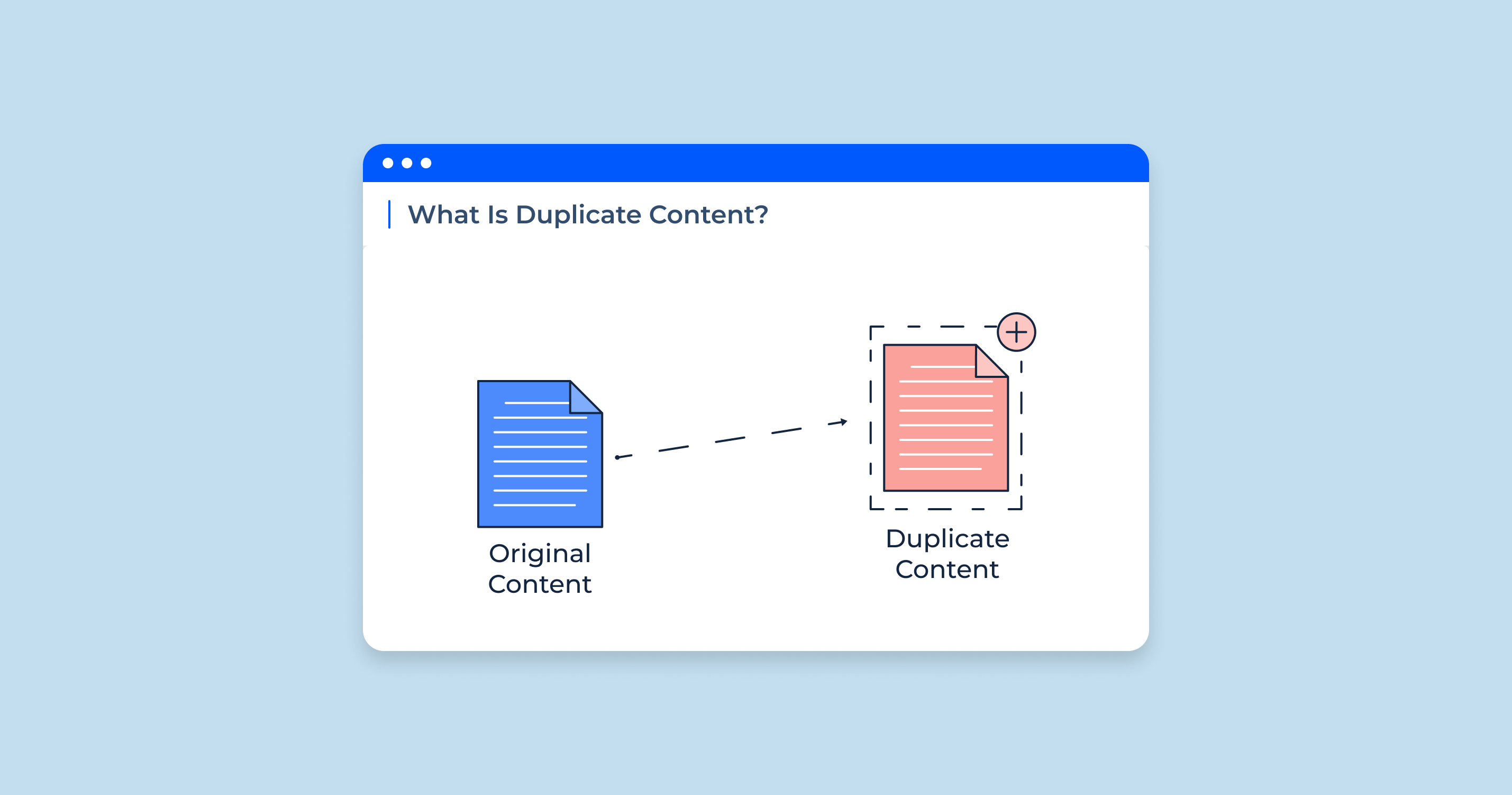
Duplicate content is arguably the most frequent SEO challenge in Magento. Because the platform generates multiple paths to the same product or category, search engines often struggle to determine which version of a page is the “authoritative” one.
Symptoms
- Multiple URLs showing the same content: A single product might be accessible via website.com/product, website.com/category/product, and website.com/sub-category/product.
- Parameterized URLs indexed: Search results show URLs containing strings like ?color=, ?price=, or ?p=.
- Filtered or search pages appearing: Internal search results or specific filter combinations are indexed by Google.
- Internal competition: Simple and configurable products compete against each other for the same keywords.
Root causes
Magento’s architecture allows multiple URL contexts for a single entity to improve user navigation, but it doesn’t automatically restrict these from search engines. By default, layered navigation (filters) generates unique, crawlable URLs for every attribute combination. Furthermore, pagination and search result pages are often left “indexable” by default, and simple child products (variants) are treated as standalone pages unless specifically configured otherwise.
How to fix
- Define a single canonical URL: In the Magento admin, navigate to Stores > Configuration > Catalog > Inventory > Search Engine Optimization. Set “Use Canonical Link Meta Tag for Categories” and “Use Canonical Link Meta Tag for Products” to Yes.
- Apply a strict Noindex, Follow strategy: Prevent search engines from indexing low-value pages while still allowing them to crawl the links. Use robots meta tags to set noindex, follow for:
- Filtered/Layered navigation URLs.
- Internal search result pages.
- Pagination pages (beyond the first page, depending on your strategy).
- Manage simple products: If you sell a shirt in five colors, you likely want the “Configurable” parent product to rank. Set the visibility of “Simple” child products to Not Visible Individually so they do not create index bloat.
- Clean the sitemap: Ensure your XML sitemap only includes canonical, indexable URLs to focus Google’s crawl budget on SEO-valuable pages.
Thin and unhelpful category and product content
E-commerce sites often fall into the trap of “thin content,” where pages provide very little unique text for search engines to analyze.
Symptoms
- Empty category headers: Categories that display only a grid of products with no introductory text.
- Reused descriptions: The same “About the Brand” snippet used across dozens of categories.
- Identical product variants: Configurable product pages where the description is a generic copy-paste job across all sizes or colors.
Root causes
Magento category pages are designed as functional grids. Merchants often prioritize speed of upload over content quality, resulting in reused descriptions for scale. Additionally, Magento’s default behavior doesn’t prompt for unique content on child products, leading to thousands of pages with 95% identical text.
How to fix
- Intent-focused category content: Add unique, helpful descriptions to your priority categories. Focus on the user’s “commercial intent”—explain what types of products are in the category and how to choose between them.
- Differentiate variants: If you choose to keep simple products indexable, ensure their descriptions highlight the specific variant (e.g., specific benefits of a certain material or color).
- Treat categories as landing pages: Use Magento’s “CMS Block” feature to add rich content, such as buying guides or FAQs, at the bottom of category pages.
Suboptimal URL structure
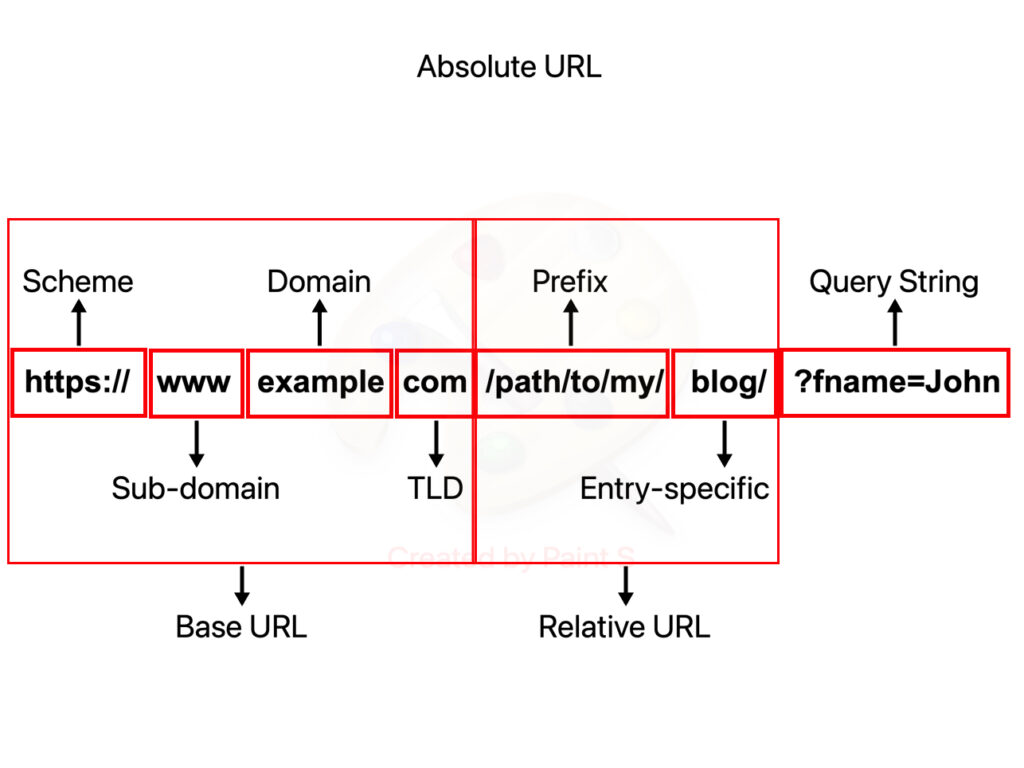
Clean URLs are essential for both user trust and search engine clarity. Magento’s flexibility can sometimes lead to messy, inconsistent URL strings.
Symptoms
- Keyword stuffing: URLs like website.com/blue-running-shoes-shoes-for-running-blue.
- Inconsistency: Some URLs ending in .html, others not; some using underscores, others hyphens.
- Duplicate paths: Both website.com/product and website.com/product/ (with a trailing slash) are accessible and returning a 200 OK status code.
- Special characters: Presence of uppercase letters or non-standard characters in the URL key.
Root causes
Magento allows administrators to customize “URL Keys” without enforcing a global naming convention. Furthermore, default settings may append .html suffixes or allow inconsistent trailing slash behavior, leading to potential duplicate content issues at the protocol level.
How to fix
- Standardize URL keys: Implement a strict internal policy: all lowercase, hyphen-separated, and concise. Remove unnecessary “stop words” (e.g., “a”, “the”, “and”).
- Enforce trailing slash consistency: Use your server configuration (via .htaccess or Nginx) to enforce either a trailing slash or no trailing slash, then 301 redirect the alternative version to the preferred one.
- Remove the .html suffix: Modern SEO favors clean URLs. You can remove the .html suffix in Stores > Configuration > Catalog > Catalog > Search Engine Optimization.
- Manage redirects: If you change a URL key, ensure Magento’s “Create Permanent Redirect for old URL” checkbox is selected to preserve “link juice.”
Metadata automation problems
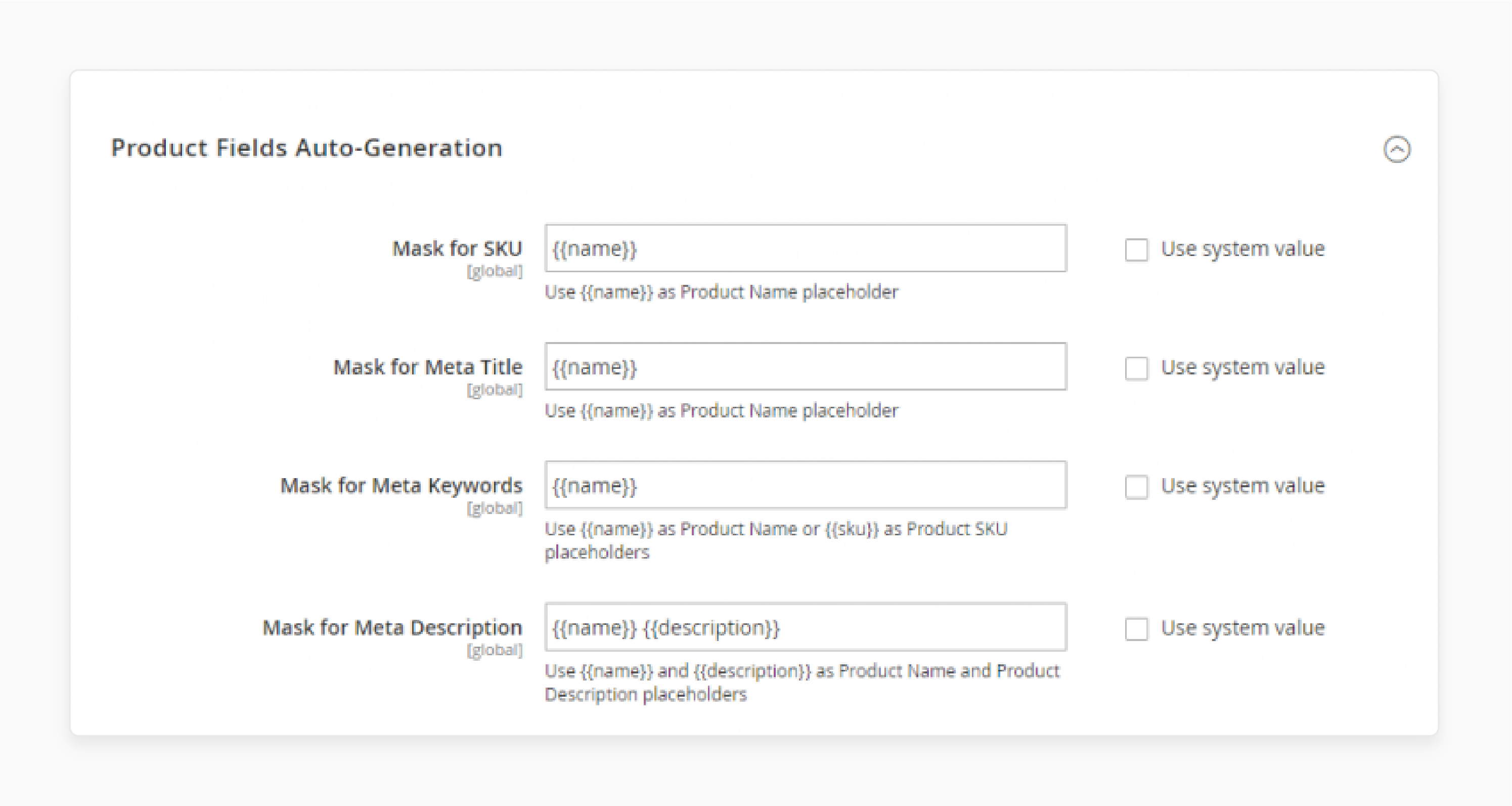
Managing metadata for thousands of SKUs manually is impossible, but relying solely on Magento’s default automation often results in poor click-through rates (CTR).
Symptoms
- Duplicate meta titles: Every page in a “Shoes” category having the meta title “Shoes – My Store Name.”
- Truncation: Titles and descriptions that are too long and get cut off in search results.
- Generic descriptions: “Buy [Product Name] at [Store Name] for the best price,” repeated for 5,000 items.
Root causes
Magento’s default metadata templates are often too simplistic. They frequently pull from a single attribute without considering character limits or search intent. Additionally, metadata is often applied to “noindex” pages, wasting time and resources.
How to fix
- Dynamic templates with logic: Use Magento SEO extensions or custom code to create smarter templates. For example: [Product Name] – [Brand] | [Category] – [Store Name]. Ensure these templates have character count limits.
- Prioritize canonical pages: Focus your manual metadata optimization on your top 20% of products and categories that drive 80% of your revenue.
- Ignore noindex pages: Don’t waste effort writing unique meta descriptions for filtered results or paginated pages that you have already marked as noindex.
- Write for the user: Ensure meta descriptions include a clear value proposition (e.g., “Free Shipping,” “Official Warranty”) rather than just a string of keywords.
Incorrect robots.txt and XML sitemap setup
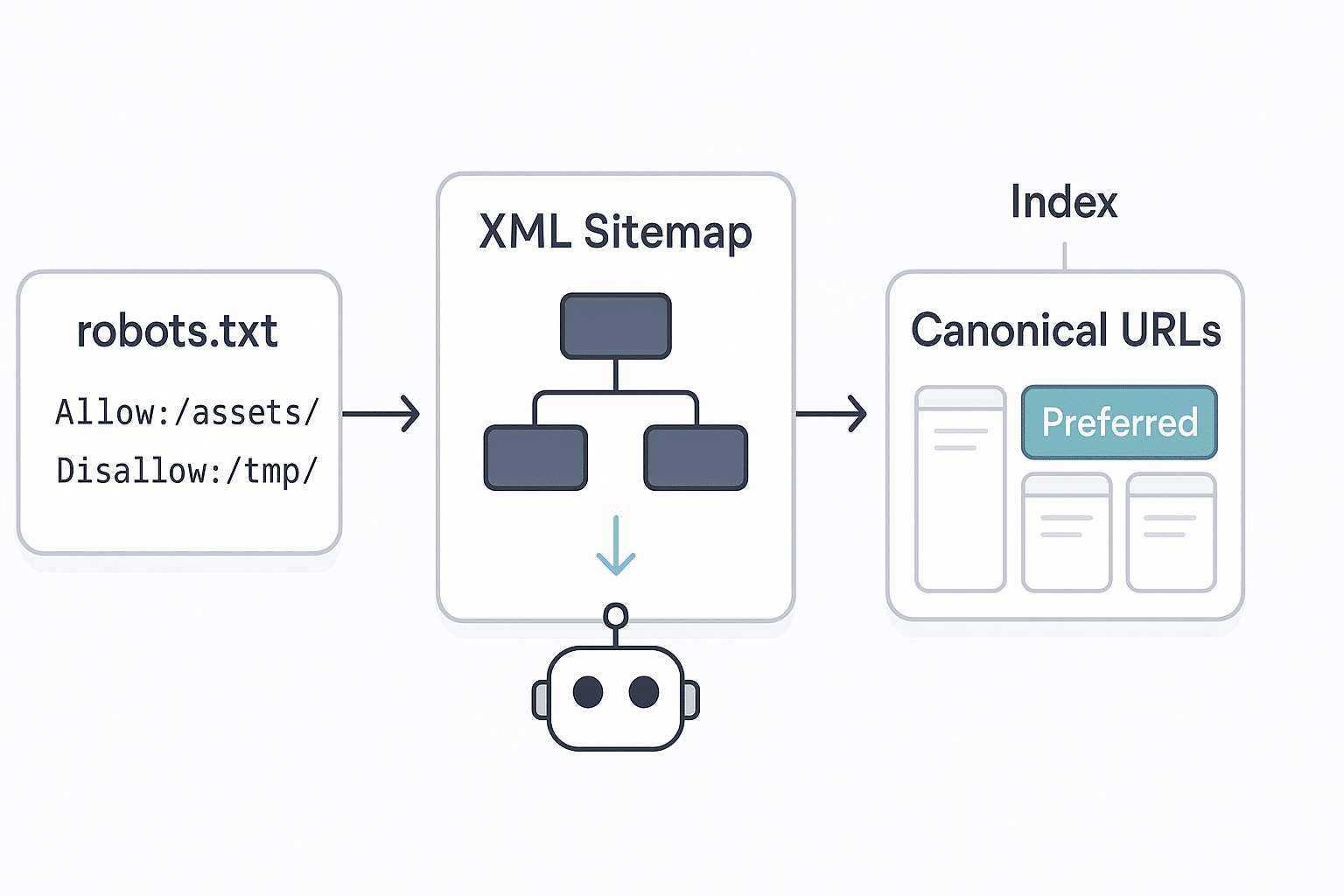
The robots.txt and XML sitemap act as the roadmap for search engines. If the map is wrong, the bot gets lost.
Symptoms
- Important pages missing: New products or categories not appearing in search results for weeks.
- “Crawled – currently not indexed”: High numbers of these alerts in GSC, often caused by the bot wasting time on parameter URLs.
- Sitemap errors: Sitemaps containing 404 pages or redirected URLs.
Root causes
The default Magento robots.txt is often either too restrictive (blocking necessary CSS/JS) or too permissive (allowing the crawl of /checkout/ or /customer/ pages). Sitemaps are often generated automatically without excluding pages that have been set to noindex.
How to fix
- Optimize robots.txt: Block paths that have no SEO value, such as /checkout/, /customer/, /catalogsearch/, and any URL parameters.
- Sync sitemap with indexability: Your XML sitemap should only contain 200 OK, canonical, indexable URLs. If a page is noindex, it must not be in the sitemap.
- Split large sitemaps: If you have more than 50,000 URLs, Magento should split the sitemap into multiple files to ensure they are processed correctly.
Many of the SEO issues above—duplicate content, weak metadata, unhelpful content pages, messy URLs, and inefficient indexing—come from the same limitation: Magento’s built-in SEO features are functional, but not scalable. They work for basic setups, but once a store grows in size, complexity, or traffic, manual configuration quickly becomes inconsistent and hard to maintain.
At this stage, using a dedicated SEO extension for Magento 2 is often the most practical way to apply canonical, noindex, metadata, and sitemap rules systematically across the entire store. Instead of fixing issues page by page, extensions allow store owners to enforce SEO logic at a global level—saving time, reducing errors, and keeping the site aligned with long-term search performance goals.
Poor internal linking structure
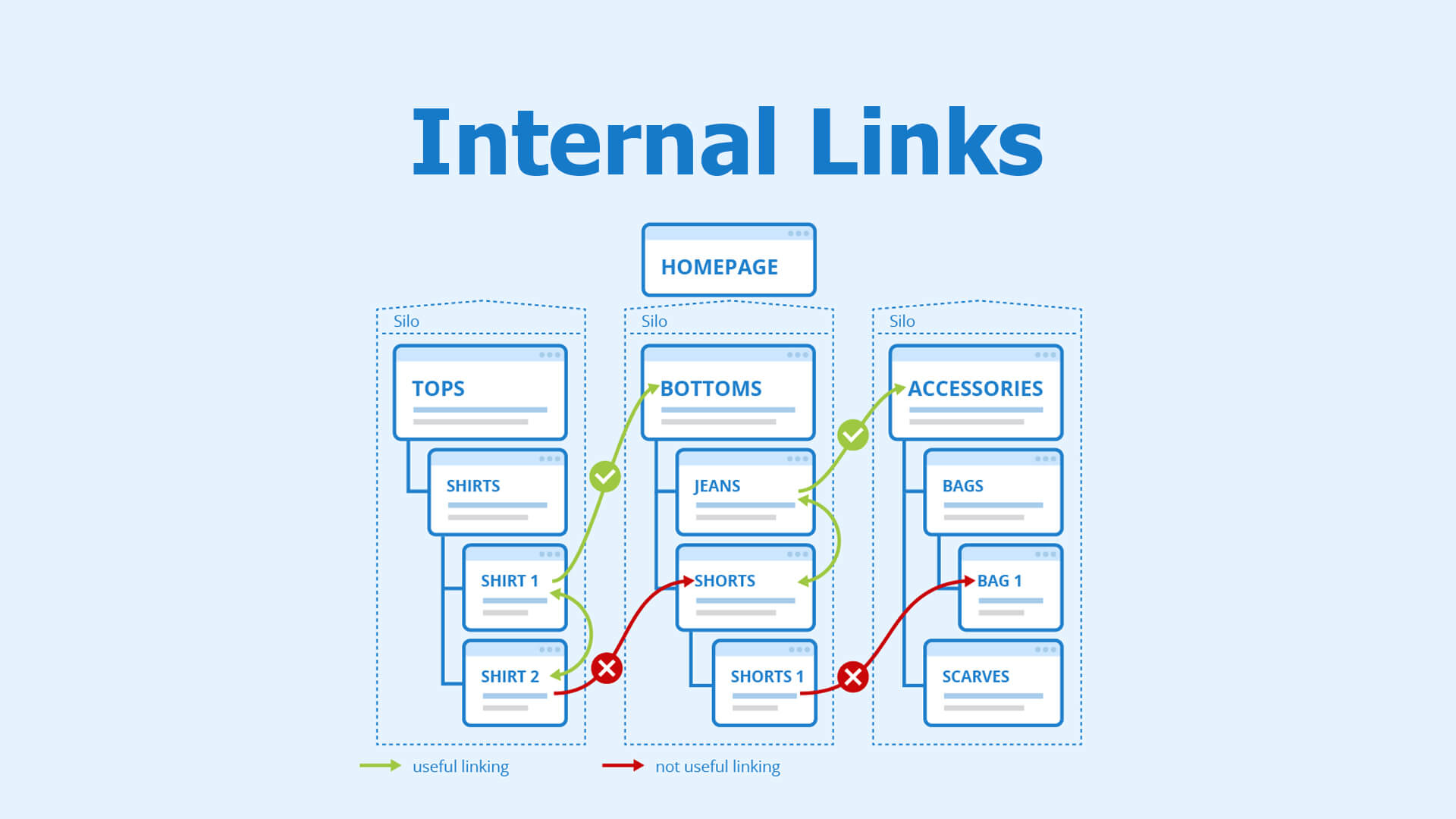
Internal links distribute “link equity” (ranking power) throughout your site. A flat or disorganized structure prevents your best pages from ranking.
Symptoms
- Orphaned pages: Products that have no links pointing to them from other parts of the site.
- High click depth: Important products that are 5 or 6 clicks away from the homepage.
- Weak context: Using “Click Here” instead of descriptive anchor text like “Men’s Waterproof Hiking Boots.”
Root causes
Magento’s navigation is often built for UX (getting the user to the cart) rather than SEO (distributing authority). Deeply nested category trees can “bury” sub-categories, making them difficult for bots to reach and value.
How to fix
- Reduce click depth: Use “Mega Menus” or footer links to ensure priority categories are only 1 or 2 clicks from the homepage.
- Implement “Related Products”: Use Magento’s built-in related products, up-sells, and cross-sells to create a web of internal links between relevant items.
- Breadcrumbs: Ensure breadcrumbs are enabled and use Schema.org markup. They provide excellent internal linking and help search engines understand site hierarchy.
Slow page speed and Core Web Vitals issues
Google’s Core Web Vitals (CWV) are a significant ranking factor. Magento, being a heavy PHP-based application, requires significant optimization to meet these standards.
Symptoms
- Slow mobile loading: High “Time to First Byte” (TTFB) and slow visual rendering on 4G connections.
- Poor LCP/CLS scores: Large Contentful Paint (images taking too long) and Cumulative Layout Shift (elements jumping around as the page loads).
- Low INP: Interaction to Next Paint issues where the site feels “laggy” when a user clicks a menu.

Root causes
Magento is resource-intensive. Heavy third-party themes, excessive JavaScript (JS) bundles, and unoptimized images are the primary culprits. Often, caching mechanisms like Varnish or Redis are either missing or misconfigured.
How to fix
- Enable Full Page Cache (FPC): Ensure Magento’s built-in FPC is active and ideally backed by Varnish for faster delivery.
- Optimize images: Use the WebP format. Implement “Lazy Loading” for images below the fold so the browser only loads what the user sees.
- Minimize JavaScript: Use tools to minify and merge JS files. Move non-critical JS to the footer or use “defer” attributes to prevent it from blocking the page render.
- Use a Content Delivery Network (CDN): Serve static assets (images, CSS, JS) from a CDN like Cloudflare or Fastly to reduce latency.
JavaScript rendering and indexing challenges
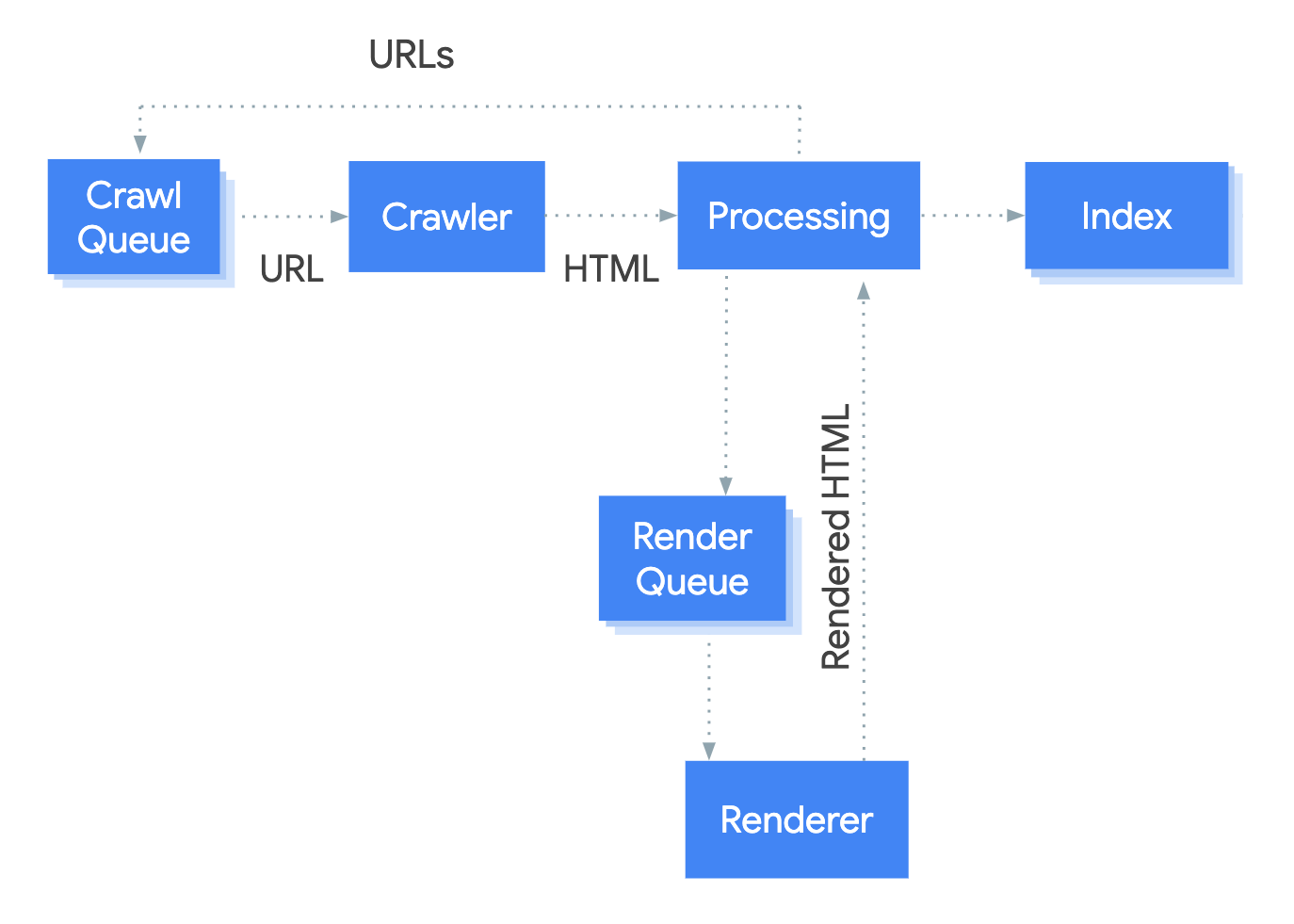
Modern Magento themes (especially PWA Studio or Hyvä) rely heavily on JavaScript. If search engines cannot render that JS, they cannot see your content.
Symptoms
- “Empty” pages in Google’s cache: When you use “Inspect URL” in Google Search Console, the rendered HTML is missing product descriptions or internal links.
- Missing links: Internal links that only appear after a user interacts with a menu are not being crawled.
- Lazy-load failure: Content at the bottom of the page is never indexed because the “scroll” trigger is never activated by a bot.
Root causes
Over-reliance on client-side rendering (CSR) means the browser (or the bot) has to do the heavy lifting to build the page. Search engines are better at rendering JS than they used to be, but they still prefer server-side rendered (SSR) content for reliability.
How to fix
- Ensure SSR for critical content: Product titles, descriptions, prices, and main navigation links should always be present in the initial HTML source code.
- Test with Search Console: Regularly use the “URL Inspection Tool” to see exactly what Googlebot sees. If the “Tested Page” screenshot is blank or missing text, you have a rendering issue.
- Standardize links: Use standard <a href=”…”> tags for navigation rather than JS-based onclick events.
A full Magento Code Audit strategy can identify JavaScript, theme, and backend issues that affect indexing and performance.
Summary: Creating a sustainable Magento SEO strategy
Solving SEO issues in Magento is not a one-time task but an ongoing process of refinement. By focusing on technical consolidation (canonicalization and indexing control), content quality (unique descriptions), and performance (Core Web Vitals), you can transform a complex Magento store into a search-friendly powerhouse.
The most critical takeaway is alignment: your robots.txt, your XML sitemap, your canonical tags, and your noindex rules must all tell the same story. When search engines receive clear, consistent signals about which pages matter, your store’s visibility and organic revenue will inevitably grow.
For a systematic review of your Magento store, including a checklist for duplicate content, metadata, and performance issues, refer to our Magento SEO Audit Strategies guide.