

In the rapidly shifting landscape of 2026, a Magento storefront is no longer a static digital asset; it is a complex, living ecosystem that requires constant calibration to remain competitive. As search engines transition toward generative AI results and users demand near-instantaneous interaction, the margin for technical error has vanished. Implementing a comprehensive Magento website audit checklist for 2026 ensures that merchants prevent the accumulation of technical debt that leads to ranking decay, security vulnerabilities, and conversion leakage.
The expectations for Magento SEO, performance, and UX have evolved significantly. While standard keyword optimization was once the primary focus, the modern audit must prioritize data integrity, Core Web Vitals (including the Interaction to Next Paint metric), and AI-readiness. This checklist is designed for store owners, SEO specialists, developers, and agencies who need a rigorous framework to evaluate the health of an Adobe Commerce or Magento Open Source installation. Whether you are conducting a deep-dive annual audit or establishing a protocol for ongoing maintenance, this guide provides the technical blueprint required for success in 2026.
Magento platform & infrastructure audit
The foundation of any successful Magento store is its underlying architecture. An audit must begin here, as front-end optimizations are often negated by back-end inefficiencies.
Magento version & environment
- Version check: Verify if the store is running the latest stable version of Magento Open Source or Adobe Commerce. In 2026, running legacy versions (anything below 2.4.x) is a significant security and performance risk.
- PHP compatibility: Ensure the server is utilizing a supported version of PHP (typically 8.3 or higher in 2026). Check for extension compatibility and performance benchmarks between PHP versions.
- Environment type: Assess whether the environment (cloud, VPS, or managed hosting) is scaled for current traffic volumes. Cloud-native architectures are preferred for their auto-scaling capabilities during peak traffic periods.
Hosting & server performance
- Server response time (TTFB): Audit the Time to First Byte. A high-performance Magento store should have a TTFB under 200ms for cached pages and under 600ms for uncached requests.
- CDN implementation: Verify that a Content Delivery Network (like Cloudflare or Fastly) is correctly configured to serve static assets (images, CSS, JS) and perform edge-side caching.
- Scalability readiness: Review load balancer configurations and database read/write splitting to ensure the site can handle concurrency spikes without degradation.
Technical SEO audit checklist

Technical SEO in Magento is largely about managing the “crawl waste” generated by the platform’s robust product discovery features. When applying this Magento website audit checklist for 2026, developers should focus on streamlining the path for search bots to access high-margin content without getting lost in technical noise. Quickly identifying and resolving common SEO issues in Magento stores is crucial to prevent these technical hurdles from draining your crawl budget and diluting your site’s overall rankings.
Indexing & crawlability
- robots.txt configuration: Ensure the robots.txt file is not accidentally blocking system files or high-value category paths. It should specifically disallow internal search results (/catalogsearch/) and technical parameters. To automate these complex rules, many merchants deploy a professional Magento SEO suite to manage exclusions at scale.
- XML sitemap structure: Verify the sitemap is dynamic and updated daily. It should exclude noindex pages, 404s, and 301 redirects. Check for “Sitemap-to-Index” ratios in Google Search Console.
- Crawl budget management: Identify “bot magnets” such as infinite faceted navigation combinations. Use the Google Search Console Crawl Stats report to see if bots are wasting energy on low-value URLs.
URL structure & canonicalization
- Clean URLs: Audit the URL rewrite table to ensure URLs are descriptive and free of session IDs (?SID=) or unnecessary subfolders.
- Layered navigation canonicals: Ensure that filtered pages point their canonical tag back to the root category unless the filter combination is a designated SEO landing page.
- Pagination handling: Verify that paginated pages (e.g., ?p=2) use self-referencing canonicals or proper rel=”next/prev” logic for non-Google bots.
Duplicate content risks
- Filtered categories: Check if multiple filter combinations (e.g., Blue + Size Small vs. Size Small + Blue) create unique URLs with identical content.
- Search result pages: Ensure internal search results are blocked from indexing to prevent “near-duplicate” thin content issues.
- Configurable products: Verify that child products (individual SKUs) are not competing with the parent configurable product in search results.
Core web vitals & performance audit
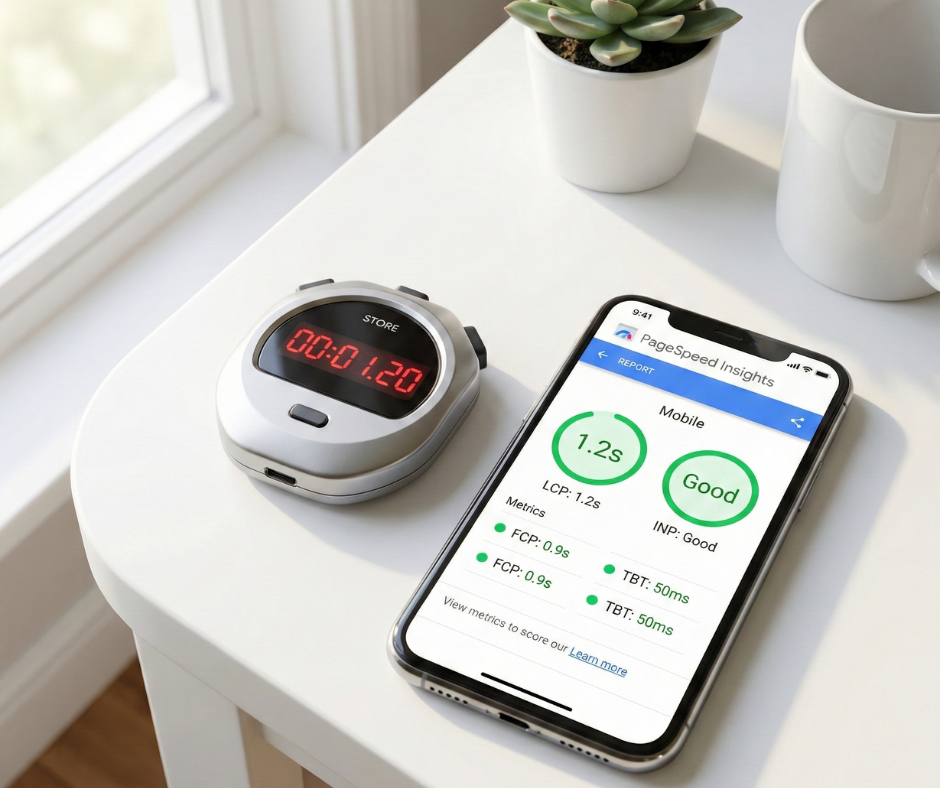
By 2026, performance metrics are no longer just “nice-to-have” speed indicators; they are primary ranking signals and conversion drivers.
Page speed metrics (2026 standards)
- LCP (Largest Contentful Paint): Target under 2.5 seconds. Focus on hero image optimization and preloading critical assets.
- CLS (Cumulative Layout Shift): Target under 0.1. Audit for layout shifts caused by late-loading banners, third-party widgets, or fonts.
- INP (Interaction to Next Paint): As the successor to FID, INP measures the latency of all user interactions. Audit heavy JavaScript execution that might block the main thread.
Magento-specific performance optimizations
- Full Page Cache (FPC): Verify that FPC is enabled and that the “hit rate” is high. Investigate “cache-breaking” elements like dynamic headers or personalized blocks.
- Varnish & Redis: Ensure Varnish is handling the HTTP cache and Redis is managing the session and object cache for maximum speed.
- JavaScript bundling: Audit the use of bundling and minification. In 2026, utilizing advanced bundling techniques is essential to reduce the total payload and improve initial rendering times.
Mobile & UX audit
With mobile-first indexing being the absolute standard, the mobile experience is essentially the only experience that search engine crawlers care about.
Mobile-first experience
- Responsive design validation: Use the Google Search Console Mobile Usability report to identify elements that are too close together or content wider than the screen.
- Mobile navigation: Audit the “Hamburger” menu for speed and accessibility. Ensure users can reach any category within three taps.
- Touch-friendly UI: Verify that all Call-to-Action (CTA) buttons are at least 48×48 pixels to accommodate all hand sizes.
User journey & conversion paths
- Path efficiency: Map the path from Homepage to Checkout. Identify any “Dead Ends” where a user might get stuck or lose context.
- Breadcrumb structure: Ensure breadcrumbs are present and utilize Schema.org markup to improve both UX navigation and search engine snippet real-estate.
- UX friction points: Identify high-friction areas such as forced account creation or slow-loading product image galleries.
On-page SEO audit
On-page SEO in Magento often involves managing content at scale through templates and attribute logic.
Metadata & head elements
- Template-based metadata: Audit the logic used to generate titles and descriptions. Every page should have unique metadata that includes primary keywords and a clear USP.
- Heading hierarchy: Ensure a single H1 tag per page. Verify that H2 and H3 tags are used logically to structure product features or category descriptions.
- Structured data: Check for valid JSON-LD implementation of Product, AggregateRating, Offer, and BreadcrumbList schemas.
Content quality & optimization
- Category content depth: Ensure category pages contain helpful introductory text that matches search intent (e.g., “Best Industrial Tools for 2026”).
- Product descriptions: Audit for thin or manufacturer-copied content. Unique descriptions are vital for standing out in an AI-driven search environment.
- E-E-A-T signals: Review the presence of expert content, author bios for blogs, and clear “About Us” information to satisfy Google’s Trustworthiness requirements.
Magento navigation & internal linking audit
The internal link graph of a Magento store dictates how PageRank is distributed and how bots discover deep products.
Main navigation & mega menu
- Crawlability: Ensure the main menu uses standard <a> tags in the HTML rather than relying solely on JavaScript “onClick” events for navigation.
- Link density: Avoid overwhelming search engine bots with thousands of links in a single mega menu. Prioritize high-value categories.
Layered & faceted navigation SEO
- Indexation control: Decide which attributes should be indexable. For example, “Brand” should usually be indexable, while “Price Range” or “Sorting” should be restricted.
- Filtering usability: Ensure that selecting a filter updates the product grid via AJAX for speed, but allows for a static URL that a crawler can follow if intended.
Product page audit checklist
The Product Detail Page (PDP) is the primary conversion engine of the store.
Product data & content
- Consistency: Ensure SKU, pricing, and availability data matches across the storefront, the database, and the XML feed used for Google Shopping.
- Rich media: Audit image sizes and formats (WebP/AVIF). Ensure videos are lazy-loaded to prevent slowing down the initial page render.
Reviews, ratings & trust signals
- UGC impact: Verify that customer reviews are visible to search engine bots (SSR) and not hidden behind an un-crawlable JavaScript tab.
- Review schema: Ensure ratings are correctly marked up so they appear as “Stars” in search engine results.
Category page audit checklist
Category pages often carry the highest authority in a Magento store.
- Taxonomy logic: Review the category tree. Is it logical? Does it avoid “Over-nesting” (more than 4 levels deep)?
- Above-the-fold content: Ensure that the H1 and at least one row of products are visible without scrolling.
- Pagination vs. infinite scroll: If using infinite scroll, ensure there is a “Load More” button or a hidden pagination link for crawlers to reach the next set of products.
- Internal linking: Check if category descriptions link to relevant subcategories or top-selling products to distribute link equity effectively.
Checkout & conversion audit
A technical audit is incomplete if it doesn’t address the point of purchase.
Checkout ux & performance
- Script audit: Identify third-party scripts (chatbots, trackers) that load specifically on the checkout page and potentially slow down the transaction.
- Guest checkout: Verify that “Guest Checkout” is enabled and frictionless. Forced registration is a leading cause of checkout abandonment.
- Error handling: Ensure that form errors (e.g., “Invalid Zip Code”) are clear and help the user correct the mistake immediately.
SEO-safe conversion tracking
- Tracking implementation: Ensure Google Tag Manager (GTM) is correctly tracking “Purchase” events with the correct transaction value and currency.
- Thank-you page indexing: Verify the “Order Success” page is set to noindex, nofollow to prevent customer data from leaking into the search index.
Security, compliance & trust audit

Security is a direct component of user trust and a confirmed ranking factor.
- SSL validation: Ensure all pages are served over HTTPS and that there are no “Mixed Content” warnings (HTTP assets on HTTPS pages).
- PCI compliance: Confirm that the store meets Payment Card Industry Data Security Standards (PCI DSS), particularly if capturing credit card data directly.
- Privacy compliance: Audit the “Cookie Consent” mechanism. It should be compliant with GDPR/CCPA but should not block search engine bots from seeing the content of the page.
Analytics, tracking & data integrity audit
You cannot optimize what you do not accurately measure.
- GA4 setup: Verify that Google Analytics 4 is tracking enhanced eCommerce events correctly (View Item, Add to Cart, Begin Checkout, Purchase).
- Search console health: Check the “Experience” section of GSC for any red flags related to Core Web Vitals or Mobile Usability.
- Tracking gaps: Audit for any discrepancies between Magento “Orders” and GA4 “Transactions.” A gap of more than 5% requires investigation.
Magento extensions & third-party integrations audit
Extensions are the most common source of technical debt in Magento.
- Performance impact: Use a profiler to identify which extensions are adding significant time to the page execution.
- SEO risks: Check if SEO extensions are creating “Canonical Loops” or conflicting meta tags.
- Maintenance review: Identify any extensions that have not been updated in over 12 months. Outdated modules are primary vectors for security breaches.
Ongoing maintenance & monitoring checklist
An audit is a snapshot in time; maintenance is a strategy for longevity. Incorporating advanced Magento SEO audit strategies into your quarterly routines will ensure that your store remains agile and fully optimized as new ranking factors emerge in the generative AI era.
- Monthly tasks: Review Search Console for new indexing errors and monitor monthly Core Web Vitals trends.
- Quarterly tasks: Perform a technical crawl (using Screaming Frog or similar) to detect broken links, 404s, and redirect chains.
- Automated alerts: Set up monitoring tools (like UptimeRobot or New Relic) to alert the team of server downtime or performance degradation.
Conclusion
Conducting a successful Magento website audit in 2026 requires a shift from superficial checks to a deep-tissue examination of platform logic, infrastructure, and user interaction. Utilizing this Magento website audit checklist for 2026 will help you prioritize the most critical issues affecting Indexing, Performance (INP), and Mobile Usability, as these directly impact your bottom line.
Aligning your SEO, UX, and development teams around this checklist ensures that optimization is a collaborative effort rather than a siloed project. While some merchants may choose to “DIY” parts of this audit using automated tools, the technical complexity of Magento often requires a specialist to interpret data and implement high-impact fixes. Once the audit is complete, the final step is to create a prioritized roadmap: tackle the “Critical” technical blockers first, then move toward the “High” impact UX and performance refinements. By systematically clearing the path for both bots and humans, you transform your Magento store into a resilient, high-converting engine for 2026 and beyond.